Model-View-Update: The Loop That Makes Rust TUIs Sane
Every UI I wrote badly had the same problem: one part of the screen changing another part's data. MVU prevents that with one rule, and in Rust that rule is exactly what the borrow checker already asks for.

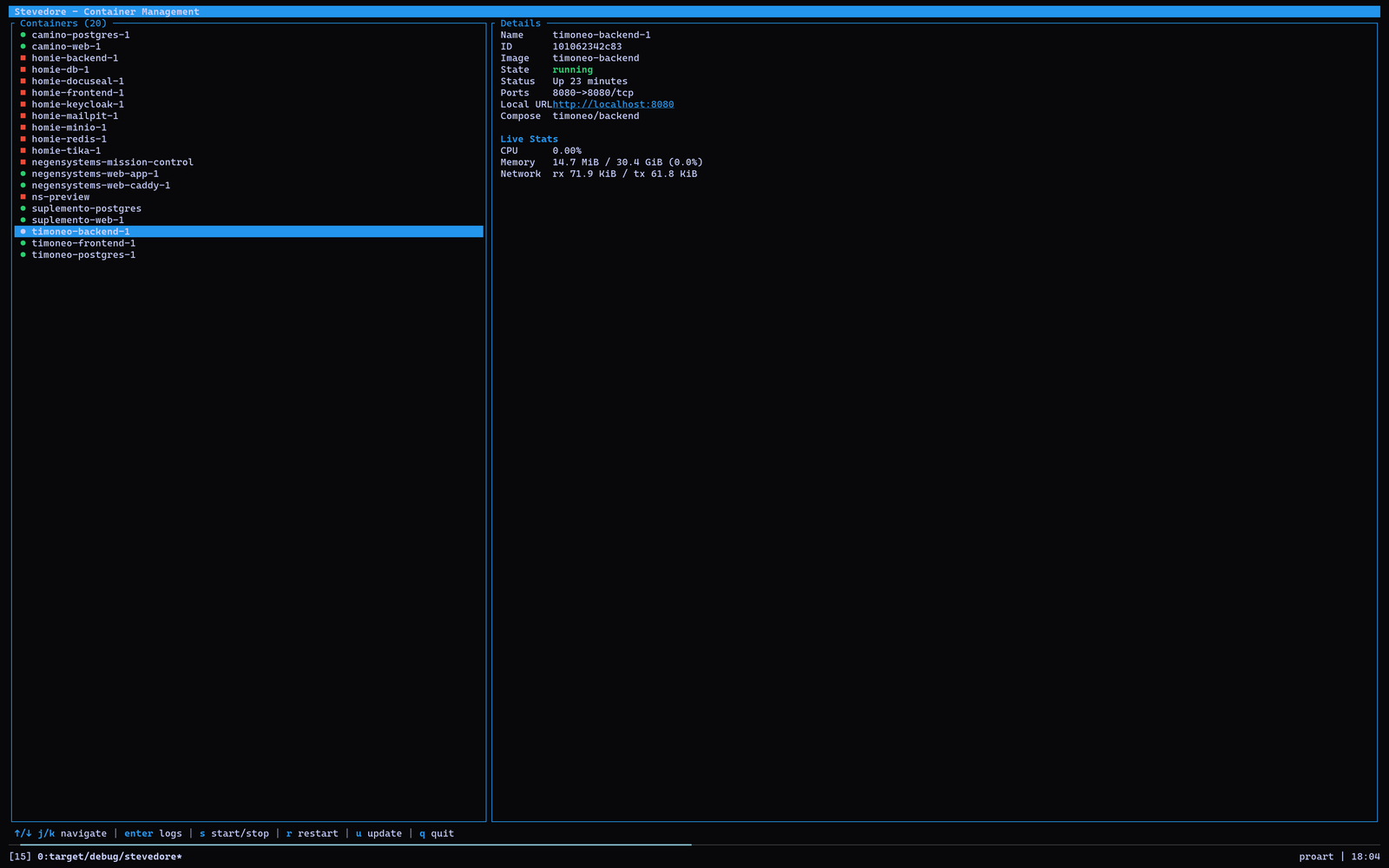
I'm building Stevedore (published on crates.io), a TUI (Terminal User Interface) for managing Docker containers. A TUI is an app that draws its screens with text inside a terminal window. My first real decision wasn't which library to draw with. It was where the program's data, its state, should live.
That question sounds theoretical until you build a UI without answering it.
You start with a list of containers. Then you add a log pane, which needs to know which container is selected. Then you add a background task that refreshes each container's status every two seconds, even while you are scrolling. After three features, every part of the program reads and changes every other part. You can no longer say what the screen will show without running it.
Model-View-Update, or MVU, is a pattern that prevents this whole kind of problem. It's also called The Elm Architecture, after Elm, the language where it became popular. Most Rust TUIs use it, and I think there's a reason for that: it matches what Rust's compiler requires anyway.
The three pillars
1. The Model is the state
The Model is the one place where the whole application's state is kept. In Rust it's a plain struct that holds everything the program needs to know right now. It has no logic, no code that talks to Docker, and no caching. It's only data.
In Stevedore it starts like this.
struct Model {
    containers: Vec<Container>,
    selected: usize,
    show_logs: bool,
    is_loading: bool,
    running: bool,
}
The rule is that everything about the current screen is stored in this struct. If a pane is open, that's a field. If a row is highlighted, that's a field.
If you let one part of the screen keep its own private scroll position, you now have two places that store the truth. One day they will disagree, and that's a bug.
2. The View is a pure function of the Model
The View takes the Model and draws the screen. It has one strict rule: it only reads. It may look at the state, but it may not change it. A function like this, whose output depends only on its input and which changes nothing, is called a pure function.
In Ratatui, the Rust library Stevedore uses for drawing, this happens naturally. The function receives &Model, a read-only reference, so the compiler won't let it change anything.
fn view(model: &Model, frame: &mut Frame) {
    let chunks = Layout::vertical([
        Constraint::Min(0),
        Constraint::Length(if model.show_logs { 12 } else { 0 }),
    ])
    .split(frame.area());

    let rows = model.containers.iter().map(|c| {
        Row::new(vec![c.name.clone(), c.status.to_string()])
    });

    let mut state = TableState::default().with_selected(Some(model.selected));
    frame.render_stateful_widget(Table::new(rows, WIDTHS), chunks[0], &mut state);

    if model.show_logs {
        frame.render_widget(log_panel(model), chunks[1]);
    }
}
Read that function and you can predict the screen exactly. If show_logs is true, the log pane gets twelve rows. If selected is 2, the third container is highlighted. Nothing else affects what is drawn.
That's the main benefit of the pattern. It's why a drawing bug takes five minutes to fix instead of an afternoon.
Ratatui adds one more helpful detail. It redraws the whole screen on every frame, instead of updating parts of it in place. So no part of the screen can keep old data from an earlier frame. That's exactly what MVU wants.
3. The Update is the only writer
The Update function is the only place that is allowed to change the Model. Messages go in, and the state changes.
The messages are listed in an enum. That enum is more useful than it looks, because it's a written list of everything that can ever happen in your program.
enum Msg {
    // user input
    SelectNext,
    SelectPrev,
    ToggleLogs,
    Quit,
    // background work
    ContainersLoaded(Vec<Container>),
    RefreshFailed(String),
}

fn update(model: &mut Model, msg: Msg) {
    match msg {
        Msg::SelectNext => {
            model.selected = (model.selected + 1).min(model.containers.len().saturating_sub(1));
        }
        Msg::SelectPrev => model.selected = model.selected.saturating_sub(1),
        Msg::ToggleLogs => model.show_logs = !model.show_logs,
        Msg::ContainersLoaded(list) => {
            model.containers = list;
            model.is_loading = false;
            model.selected = model.selected.min(model.containers.len().saturating_sub(1));
        }
        Msg::RefreshFailed(_) => model.is_loading = false,
        Msg::Quit => model.running = false,
    }
}
Two completely different sources send messages to this function, and neither knows about the other. A key press becomes one kind of message. A Docker check that finishes in the background becomes another. When they reach update, both are just messages, handled in the same match, one at a time.
Look at the ContainersLoaded branch. A refresh can make the list shorter while the cursor is near the bottom. Without care, the cursor would then point past the end of the list, and the program would crash. Because the list and the cursor are both set in one branch of one function, the fix is easy to see and hard to forget: the last line keeps selected inside the list. If the list and the cursor lived in two different parts of the program, this bug would reach users.
The loop
The data only ever flows in one direction.
- A starting Model exists.
- The View draws it.
- Something happens: a key press, or a message from a background task.
- Update changes the Model.
- Go back to step 2.
In practice the whole application is about fifteen lines.
let mut model = Model::default();
let (tx, mut rx) = mpsc::unbounded_channel::<Msg>();

spawn_docker_poller(tx.clone()); // sends ContainersLoaded on a timer

while model.running {
    terminal.draw(|frame| view(&model, frame))?;

    if let Some(msg) = next_message(&mut rx).await {
        update(&mut model, msg);
    }
}
That's the whole program. Everything else is detail inside those three functions.
There is one result I didn't appreciate until I had it. Every change to the state passes through one function. So a single print statement at the top of update gives you a complete list, in order, of everything your application did.
If the screen is wrong, only two things can be true. Either the Model is wrong, or the View read it wrongly. There is no third possibility, and one look tells you which it is.
Why Rust in particular loves this
In many UI toolkits, a button's code reaches into a text box and changes its colour directly. The result is many objects that all hold references to each other, and no clear order in which things change.
Rust doesn't let you build that. Its borrow checker is the part of the compiler that enforces one rule about references. At any moment, a piece of data can have either one reference that can change it, or any number of references that can only read it, never both. A UI made of objects that all change each other breaks this rule right away.
The usual way around it is to wrap everything in shared, reference-counted containers that check the rule while the program runs. That turns a compile error into a crash at run time. I think that's a bad trade.
MVU avoids the problem by separating reading and writing in time. While drawing, there is exactly one read-only reference to the Model. While updating, there is exactly one reference that can change it. The two steps never happen at the same time, so the rule is never broken.
The borrow checker has a reputation for making UI work painful. Most of that pain comes from the design where every object holds references to the others, which Rust rejects. With the design Rust pushes you towards, most of those errors go away.
The enum helps too. A Rust match has to cover every case. So when you add a new message, for example one for stopping a container, the compiler shows you every place where it isn't handled yet. Your list of possible events can't quietly get out of step with the code that handles them.
The parts that need care
MVU has costs, and it's good to know them before you choose it.
Slow work needs somewhere to go. update runs on the main loop, so it must never wait for a slow Docker call. If it did, the whole screen would freeze. So update never does slow work itself. It only asks for it. A branch sets is_loading and sends a request to a background task. The result comes back later as another message. Elm builds this into the pattern by letting update return a command. In Rust, sending on a channel is usually enough.
Large models can get copied. The View only reads the Model and doesn't copy it, so drawing is cheap. But watch out for copies made while building messages. For a list of containers the cost is too small to matter. For a megabyte of logs it does matter, and sharing the data with reference counting becomes worth it.
The enum grows. If your message enum reaches forty variants, it's time to split the Model into smaller models, each with its own messages, the way Elm does. Do that when the enum becomes hard to manage, not before.
Wrapping Up
MVU is one rule with many results. The state changes in exactly one place, and the screen is drawn only from the state.
Every benefit of the pattern comes from that rule: a screen you can predict, bugs that are easy to trace, and no fights with the borrow checker.
For a Rust TUI it's the natural choice, because the other common design is the one the language rejects. Stevedore has been built this way from the first commit. So far, the only file that ever got confusing was the one where I broke the rule.
The architecture notes show the real code, including the main loop, the part that talks to Docker, and the guarantees that become easy to keep when every change goes through one update function.
If the ideas about references here are new, Memory: The Stack, the Heap, and Pointers covers the basics, and coming to Go from C++ walks through a similar change in thinking in another language. For how a project like this is set up on the first day, see project zero.
Check yourself
3 questions · nothing is savedWho wrote this
Author profile and background

Takumi Yamada
· Backend EngineerBackend engineer building services, databases, Linux tooling, and NEGEN SYSTEMS. Writing about low-level mechanics, distributed systems, and real-world security.
- Written
- Aug 12, 2026
- Length
- 1,674 words · 8 min
- Built
- …
- Served by
- …
- Delivered
- …
- Over the wire
- …
- Go's share
- …
Five Ways to Deploy the Same App
Static host, PaaS, VPS, single binary, Kubernetes: the same React and Go app can be put online in five different ways. A tour of the options, using this website as the example.
How a Computer Works: From Sand to Software
Transistor, gate, adder, clock, memory, program: the six layers between electricity and the software you run.
How a CPU Actually Runs Your Code
Your C or Go program is just numbers in memory, and the CPU reads them one instruction at a time. Here's the loop that does it.
Projects built with what this post is about.