Customization & Theming
The safe override architecture, single source of truth TOML theming, 3-layer wallpaper engine, and the custom Negen Icons font.
NEJEN is built on a strict separation between system defaults and user customizations.
In conventional dotfile setups, running an update or pulling upstream changes inevitably causes merge conflicts or overwrites your personal configuration. NEJEN eliminates this problem with an explicit override architecture and a single source of truth for design tokens.
The Safe Override Architecture
Configuration files in NEJEN are divided into two distinct tiers:
1. Generated System Defaults (Managed)
Files like ~/.config/hypr/hyprland.conf, ~/.config/waybar/style.css, and application configurations are generated by the installer and theme engine. They carry a prominent header:
# Generated by NEJEN. DO NOT EDIT directly.
# Place user customizations in overrides.conf / overrides.css
These files are safely rewritten whenever you change themes or run nejen update.
2. User Overrides (Untouched)
Every subsystem sources a dedicated override file last. These files reside in standard user paths and are never modified, overwritten, or deleted by NEJEN updates:
| Target Subsystem | Override Location | How It Is Loaded |
|---|---|---|
| Hyprland | ~/.config/hypr/overrides.conf | Sourced at the very end of hyprland.conf |
| Waybar | ~/.config/waybar/overrides.css | @imported at the end of style.css |
| Keybindings | ~/.config/nejen/keymap.toml | Merged into keymap.toml during keymap render |
| The Hub | ~/.config/nejen/hub.toml | Merged into the central menu hierarchy |
| Alacritty | ~/.config/alacritty/overrides.toml | Imported in alacritty.toml |
| Hyprlock | ~/.config/hypr/hyprlock-overrides.conf | Sourced inside the lock configuration |
| Bash Shell | ~/.config/nejen/bash-overrides | Sourced after standard NEJEN aliases |
Example: Custom Hyprland Keybinds
To bind specialized function keys without risking upstream conflicts, add them to ~/.config/hypr/overrides.conf:
# ~/.config/hypr/overrides.conf
# Custom keyboard backlight control
bind = , F4, exec, ~/.local/bin/logi-kbd-backlight off
bind = , F5, exec, ~/.local/bin/logi-kbd-backlight on
Changing the UI Color
The quickest way to recolor the desktop is the hub. Theme › Tweak colors lists the palette slots you can change, and each one opens a color picker:
Super+N › Theme › Tweak colors
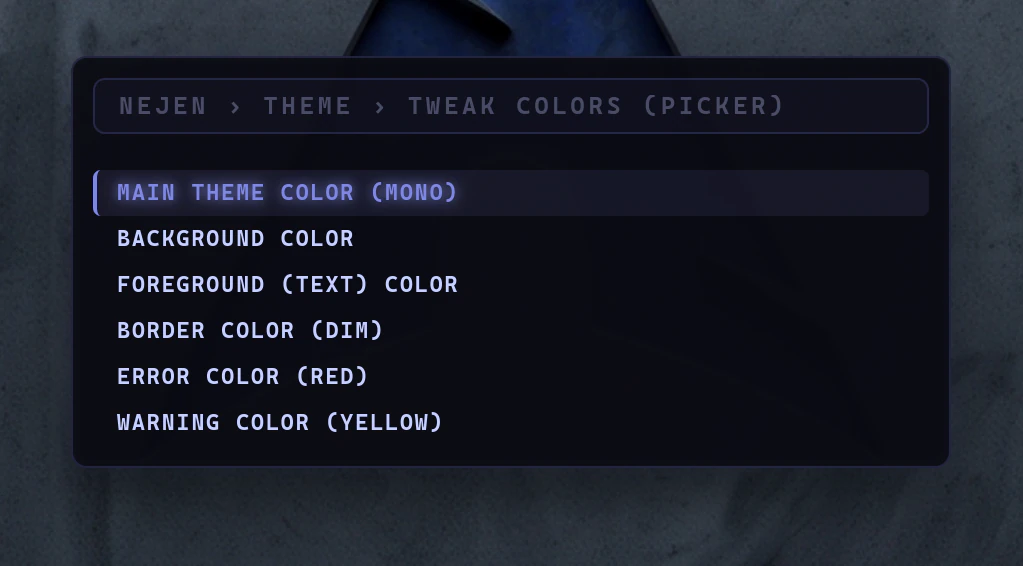
The picker
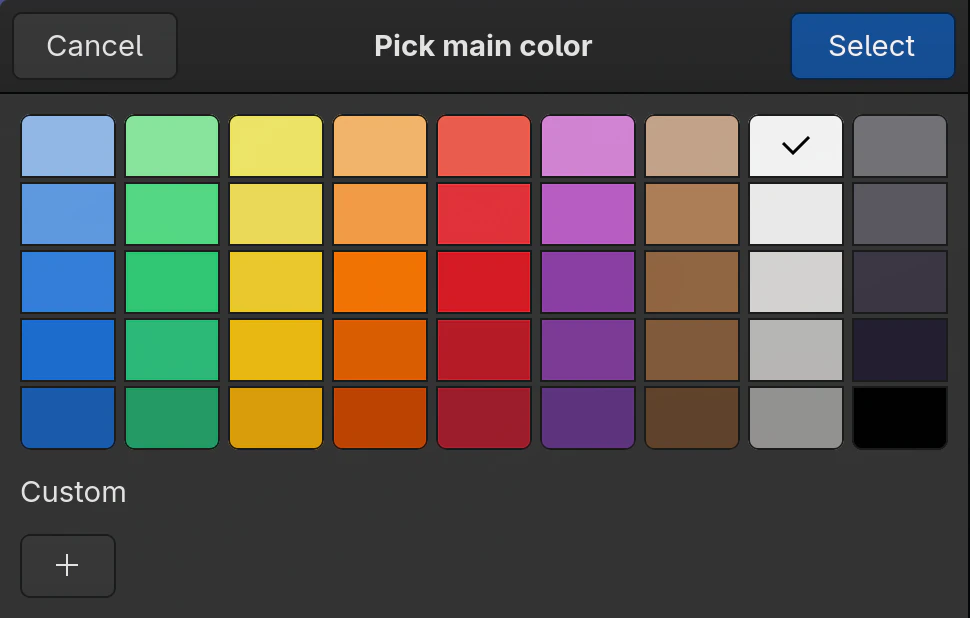
Choose a color and press Select. NEJEN writes it into your theme, re-renders every templated config, and confirms with a notification. Here the main color goes from the shipped slate to #d8a15e and back:
| Hub item | Palette keys it sets |
|---|---|
| Main Theme Color (Mono) | accent, border and cursor, all to the one color |
| Background Color | background |
| Foreground (Text) Color | foreground |
| Border Color (Dim) | border |
| Error Color (Red) | error |
| Warning Color (Yellow) | warning |
The same thing from a terminal, with the hex value given up front so no picker opens:
nejen theme tweak main '#d8a15e'
nejen theme tweak background '#0b0b10'
A few details worth knowing:
- Shipped themes are never edited. If the active theme is one NEJEN ships (such as the default
nejen), the first tweak clones it to~/.config/nejen/themes/<name>-custom, switches to the clone, and changes that. The clone opens itstheme.tomlin your editor first; close it and the tweak carries on. - What follows the palette: Hyprland window borders, both Waybars, the Alacritty and Ghostty palettes (and with them fastfetch and btop), bluetuith, and the Hyprlock screen.
- What keeps the shipped slate: Mako notifications, the SwayOSD meter, the Walker menus and Neovim carry the Nejen colors in their own config, so they look the same in every theme.
- Going back is Theme › Pick theme › nejen, or
nejen theme set nejen. Your-customtheme stays in~/.config/nejen/themes/for next time.
Universal TOML Theming
Rather than requiring you to synchronize hex color codes across CSS, TOML, Lua, and shell scripts, NEJEN defines themes in a single declarative file: theme.toml.
Semantic Color Palette
Every theme declares a semantic 10-color palette. The default theme (Nejen) features the signature NEJEN slate-blue aesthetic:
[meta]
name = "Nejen"
dark = true

[palette]
background = "#08080a"           # Main background, ANSI black
foreground = "#c7d0ff"           # Main text, ANSI white
accent     = "#7f87df"           # Glowing slate blue: cursor, active states
border     = "#4a4f8a"           # Dim slate blue: container outlines, active border
muted      = "#767ca0"           # Inactive text, secondary labels
error      = "#ff3030"           # Hot red: alerts, traps, battery critical
warning    = "#d59a5a"           # Amber: notifications, warnings
magenta    = "#7c6aa6"           # Auxiliary accent
cyan       = "#6f8fbf"           # Auxiliary accent
cursor     = "#7f87df"           # Text caret
selection_background = "#2b315f"
selection_foreground = "#c7d0ff"

[wallpaper]
default = "backgrounds/default.jpg"

[hyprland]
inactive_border = "rgba(2a2a2aaa)"

[icons]
theme = "Yaru-blue"
The Template Engine
When you switch themes (nejen theme set <name>), the dispatcher executes nejen theme render:
- It reads
theme.tomlfrom~/.config/nejen/themes/<name>/or$NEJEN_PATH/themes/<name>/. - It processes Go template files from
$NEJEN_PATH/templates/*.tmpl. - It emits native configuration files into
~/.local/state/nejen/theme/:hyprland.conf(active and inactive window borders)waybar.css(color variables for both bars)alacritty.tomlandghostty.conf(16-color ANSI terminal palette)btop.themeandbluetuith.conf(TUI colors)hyprlock.conf(lock screen colors)icons.themeandvscode.json(icon theme and editor color theme names)mako.ini,swayosd.cssandneovim.lua(override slots, empty in the shipped theme: those apps carry the Nejen colors in their own config)
- It applies the result without ending your session: Hyprland reloads its config, Waybar restarts, Mako reloads, btop is signalled to re-read its theme, and the SwayOSD service and wallpaper are refreshed.
Creating & Cloning Themes
Creating a custom look takes seconds:
# Clone the current theme into ~/.config/nejen/themes/my-theme
nejen theme clone my-theme

# Tweak colors with the picker (or pass a hex value to skip it)
nejen theme tweak main
nejen theme tweak background '#0b0b10'

# Apply immediately
nejen theme set my-theme
The 3-Layer Wallpaper Hierarchy
Wallpapers in NEJEN are resolved dynamically across three distinct directories, with earlier layers taking precedence:
Because personal wallpapers live in Layer 1, switching themes will never delete or reset your chosen wallpaper.
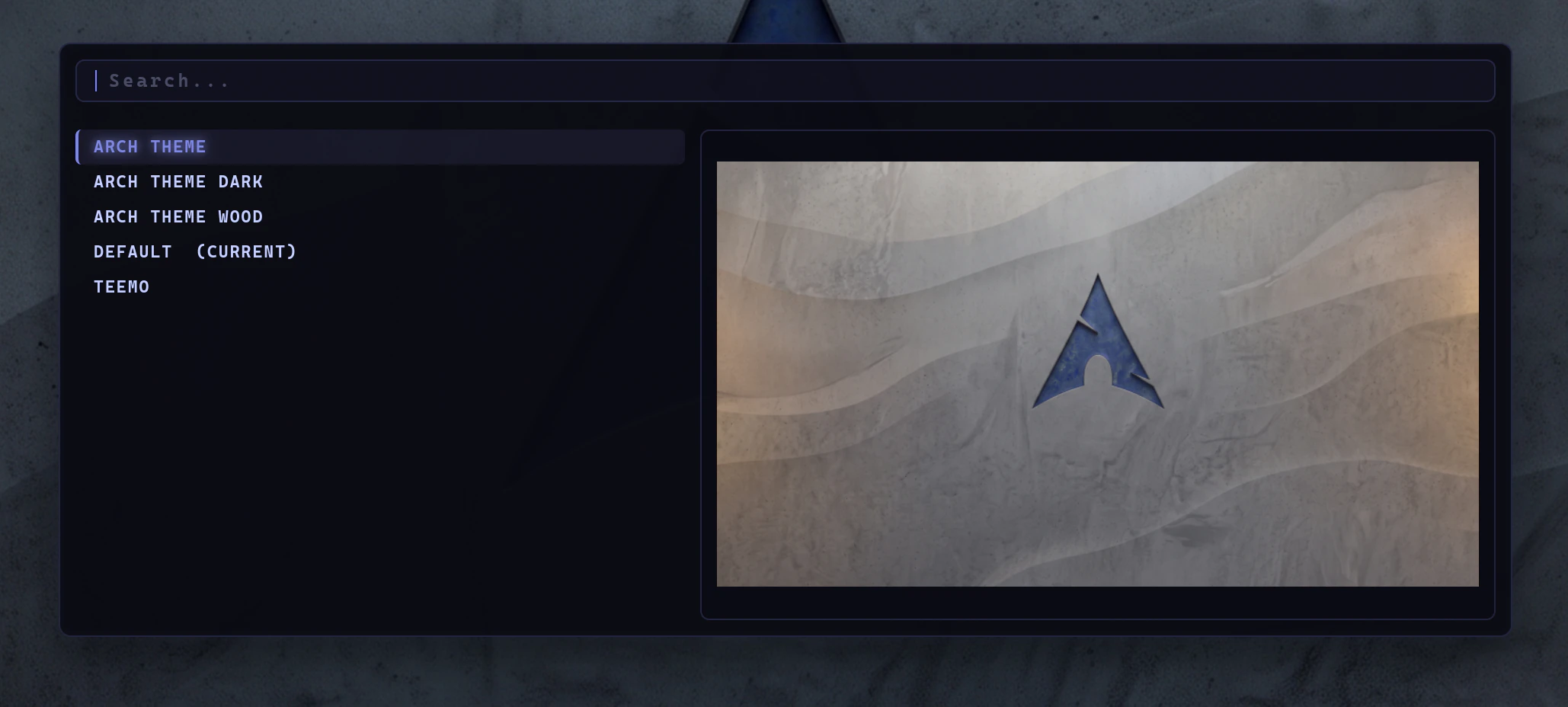
Wallpaper Management Commands
| Action | Shortcut | Command |
|---|---|---|
| Browse with previews | Super+Shift+W | nejen theme bg pick |
| Next wallpaper | Super+Ctrl+W | nejen theme bg next |
| Previous wallpaper | Super+Ctrl+Shift+W | nejen theme bg prev |
| Random wallpaper | — | nejen theme bg random |
| Set specific image | — | nejen theme bg set "Misty Ridge" |
| Add images to library | — | nejen theme bg add ~/Pictures/*.jpg |
| Show active wallpaper | — | nejen theme bg current |
Tip: You can symlink an existing wallpaper folder into place before running the desktop: ln -s ~/Pictures/Wallpapers ~/.config/nejen/backgrounds.
Shipped Custom Font: NegenIcons.ttf
Most Linux ricing setups rely on sprawling, inconsistent Nerd Font patches where glyph coordinates frequently shift between font releases.
NEJEN ships its own dedicated icon typeface: Negen Icons (config/fonts/NegenIcons.ttf), linked to ~/.local/share/fonts/.
Plane 16 Private Use Area (U+100000 ... U+10FFFF)
┌──────────────────────────────────────────────────────────────┐
│ U+100019  Ring (workspace)      U+100044  Charging Bolt      │
│ U+100037  Lock (caffeine off)   U+100059  Coffee (caffeine)  │
│ U+10005B  Battery 0%            U+10005E  Battery 100%       │
│ U+10006E  Wi-Fi Low             U+100070  Wi-Fi High         │
│ U+100073  Bell (notifications)  U+100074  Bell Off (DND)     │
│ U+100075  Keyboard              U+100076  Keyboard Off       │
│ U+100077  Recording Dot         U+10000D  Moon (nightlight)  │
└──────────────────────────────────────────────────────────────┘
Architectural Benefits
- Isolated Plane: All glyphs sit in Unicode Plane 16 (from
U+100000upwards). No other icon font or system font touches this range, eliminating font collisions entirely. - Native Font Fallback: Desktop notifications, terminal lines, and lock screens render icons seamlessly without special markup.
- Waybar Precision: In Waybar configurations, glyphs are wrapped explicitly with
<span font='Negen Icons'>...</span>, preserving the primary bar font for numerical and label typography.
Custom Waybar Modules
NEJEN's top and bottom Waybar instances are designed to integrate seamlessly with custom telemetry daemons. Modules communicate via standard JSON:
{
  "text": "154.20 USD",
  "alt": "AAPL",
  "tooltip": "Apple Inc. (Market Open)",
  "class": "gain"
}
The bottom bar includes ready-to-run modules for independent Go tools:
custom/vpn: Tracks NordVPN connectivity status and active exit nodes (waybar-nordvpn-go).custom/tradingview: Real-time crypto, stock, and forex tickers with Pango-styled percentage gains.network: Real-time interface bandwidth stats with fallback disconnect icons.