OpenCV 5: What Actually Changed Under the Hood
The first major version since 2018 is about foundations, not new features: a rebuilt engine that runs over 80% of ONNX instead of 22%, real n-dimensional arrays, fast code from four chip makers, and a list of removals long enough to break your build.

OpenCV 4.0 came out in November 2018. OpenCV 5.0 came out in June 2026, timed to CVPR (Computer Vision and Pattern Recognition), the field's largest conference. For most of the years in between, the version 5 branch was where the OpenCV team kept changes that would break existing code.
That gap tells you what kind of release this is.
In OpenCV, new features don't wait for a major version. They have been added to the 4.x versions the whole time. A major version is where the things that couldn't change without breaking code finally change. Here, that means a C API (Application Programming Interface) from 1999, a basic array type that couldn't properly store a single number, and a deep learning module built for the models of 2017.
So version 5 rebuilds the foundations. The list of things removed matters about as much as the list of improvements.
This post covers what changed, what it means in practice, and whether you should upgrade.
The headline: the DNN module was rebuilt
OpenCV's DNN (Deep Neural Network) module has one important job. Someone trains a model in PyTorch and saves it as an ONNX (Open Neural Network Exchange) file. The DNN module runs that model on another machine, without installing a whole training framework there.
The problem was that this only partly worked. ONNX defines a list of operators, the building blocks a model is made of, such as "multiply these matrices". OpenCV 4.x supports about 22% of them. Models with modern parts, such as attention blocks, usually failed to load with an error about an unsupported layer. So did models whose input size wasn't fixed when they were saved. You either changed the model until OpenCV accepted it, or you gave up and used a separate tool, ONNX Runtime, instead.
OpenCV 5 replaces the engine completely. The old engine ran a model one layer at a time. The new one first reads the whole model as a graph of operations, analyses it, and optimizes it before running anything. That's how modern model runners work.
Support goes from 22% to over 80% of ONNX, and inputs of changing size work. So most of the models that used to fail now load.
The new engine does three kinds of analysis, and each one fixes a separate complaint about 4.x.
Shape inference. A tensor is an array with any number of dimensions, and it's what a model passes from one step to the next. With shape inference, the engine knows the size of every tensor before the model runs. So a model whose batch size is "however many images you pass in" now works, instead of causing an error.
Constant folding. Some parts of a model never depend on the input. The engine now calculates those once, when the model loads, instead of again for every frame.
Operator fusion. Some operations almost always come in the same order, such as a convolution, then adding a bias, then a ReLU, which sets negative numbers to zero. The engine merges them into one operation, so the data is read from memory once instead of three times. That's where much of the speed-up comes from.
The speed results are the surprising part. On an Intel Core i9-14900KS, OpenCV's own benchmarks show the new engine running models faster than ONNX Runtime: about 31% faster on XFeat, 37% on OWLv2, and 32% on BiRefNet. A few years ago, few people expected a side feature of a vision library to beat the main ONNX tool on a CPU (Central Processing Unit).
Four engines, one flag
A rewrite this large can't be allowed to break every program on the day people upgrade. So the functions that load models now take an engine setting.
// C++: the engine is a parameter on the model reader
cv::dnn::Net net = cv::dnn::readNetFromONNX("model.onnx", cv::dnn::ENGINE_AUTO);
| Engine | Value | What it does |
|---|---|---|
ENGINE_CLASSIC | 1 | The 4.x engine. The only one that can run on CUDA and OpenVINO as well as the CPU |
ENGINE_NEW | 2 | The new engine, with fusion and inputs of changing size. CPU only for now |
ENGINE_AUTO | 3 | The default. Tries the new engine, and uses the classic one if the model won't load |
ENGINE_ORT | 4 | Passes the model to the copy of ONNX Runtime included with OpenCV |
You can also choose the engine without changing any code, with an environment variable that takes the same numbers. That's the right tool when something gets worse after the upgrade, and you want to know whether the new engine is the cause.
OPENCV_FORCE_DNN_ENGINE=1 ./my_detector     # force the old behavior
OPENCV_FORCE_DNN_ENGINE=2 ./my_detector     # force the new engine, fail loudly
The "CPU only" detail is the one that decides whether to upgrade. If your models run on an NVIDIA graphics card through CUDA (Compute Unified Device Architecture), you are still on the classic engine, so you don't get the main improvements yet. Today, the new engine only helps on the CPU: small devices, laptops, and servers without graphics cards.
Language models, inside a computer vision library
OpenCV 5 can also run large language models, and vision language models, which take both images and text. The supported models include Qwen 2.5, Gemma 3, PaliGemma, and models of the GPT-2 kind.
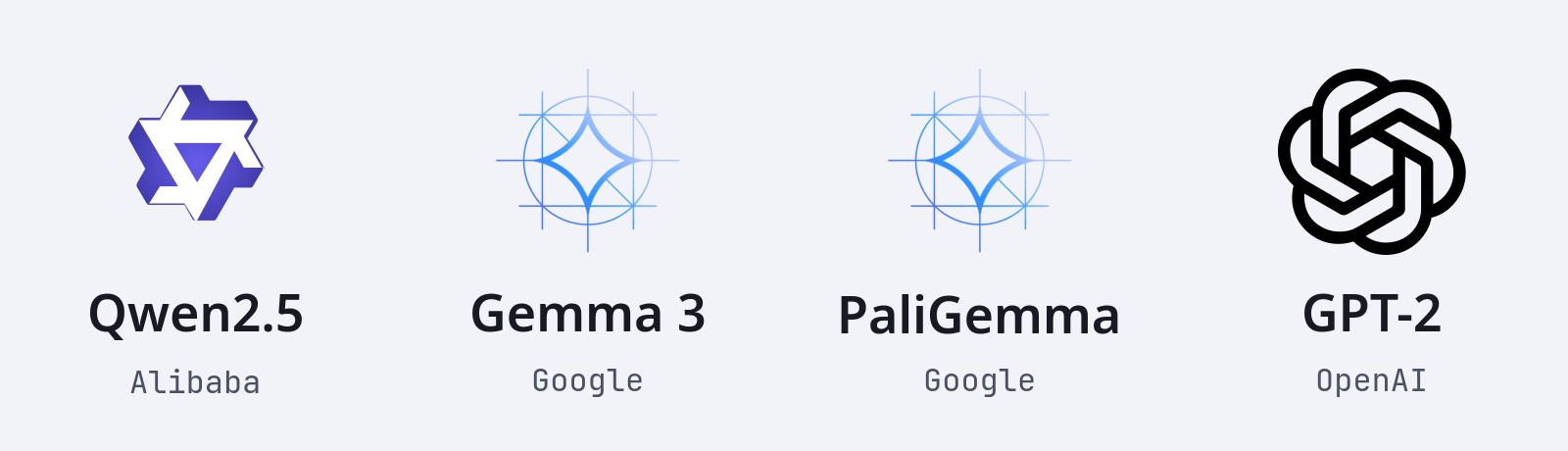
The obvious reaction is that a vision library shouldn't do this, and on a desktop computer that's right. Nobody should replace tools built for language models, such as llama.cpp or vLLM, with OpenCV.
It makes sense in the situation OpenCV has always been built for. Picture a small device that already uses OpenCV to read frames from a camera. Adding a second tool for running models means a second build system, a second set of libraries to compile for that device, and a second thing to keep updated. If a robot needs to describe what its camera sees, letting the vision library it already has run the model means less to build and maintain.
The core learned to count past two dimensions
This part is less visible, but it matters more to anyone writing their own library on top of OpenCV.
There are new number types. There is bfloat16, the compact number format that modern AI training and inference use. There are signed and unsigned 64-bit whole numbers. And there is a real true-or-false type.
The 64-bit types matter for large collections of 3D points, and for calculations where 32 bits would silently overflow. The true-or-false type means a mask no longer has to be stored as an array of bytes.
Arrays can now have zero or one dimension. In 4.x, the basic array type always had two dimensions. A list of 100 numbers had to be stored as 100 rows of 1, or 1 row of 100, and a single number had to be a 1 by 1 matrix. Every function that received one had to guess which of these the caller meant.
That workaround is gone. Single numbers and plain lists are stored as what they are. This sounds like a small detail, but the DNN module trades tensors with model runners all the time, and those runners have always had single numbers and lists as proper shapes.
Shape information is stored inside the array. The new type that describes an array's shape no longer needs a separate piece of heap memory. That gives a small speed-up everywhere a busy loop checks an array's size.
Image processing got two smaller improvements. Text drawing now supports TrueType fonts, so it isn't limited to the old built-in font that made every OpenCV demo look the same. And the functions that warp images are reported to be between 10% and 300% faster, depending on the case.
Hardware: four vendors, no code changes
Chip makers publish libraries of carefully optimized code for their own processors. OpenCV 5 uses four of these libraries directly. While your program runs, OpenCV picks the fast version for the chip it's running on, and the same line of code gets the speed-up everywhere.
| Vendor | Library | Covers |
|---|---|---|
| Intel | IPP | SSE and AVX paths on x86 |
| Arm | KleidiCV | NEON, SVE, and SME, with 3x to 4x speedups documented |
| Qualcomm | FastCV | Snapdragon DSP and NPU offload |
| RISC-V | RVV | The vector extension, which matters as RISC-V boards become real targets |
Nothing in your code changes for any of this. It's set when OpenCV is built and chosen while it runs, which is how it should be.
This is also the strongest reason to upgrade if you run on Arm chips. A filter or a resize that runs 3 to 4 times faster on every device is worth more than most optimizations you could make in your own code.
The removal list, or why your build breaks
This is the part of a major release that costs you a day. Here are the removals, roughly in order of how likely they are to affect you.
The C API is gone. Every function and structure from OpenCV 1.x, the original C version, has been deleted. If your code still uses them, this release means rewriting that code, not just upgrading. Most people won't notice, because the C API has been marked as outdated for ten years.
Loading Darknet and Caffe models is gone. Many YOLOv3 and YOLOv4 tutorials load a model from a .cfg file and a .weights file in the Darknet format. That no longer works, and neither does loading Caffe models. The fix is to convert the model to ONNX once and load that file instead. So many online tutorials use those two loaders that I expect this to be the most common "OpenCV 5 broke my project" problem for years.
Modules moved. The calibration module was split into four: geometry, calibration, stereo and point clouds. The features module was renamed and now covers more. Your #include lines and your CMake settings change to match.
Some modules moved to contrib. OpenCV has a second, separate collection of extra modules, called contrib. The graph API and the classic machine learning module, with SVMs, decision trees and k-means, have moved there. So have the Haar and HOG detectors.
That last change needs its own note. The Haar cascade XML file for detecting faces is probably the most copied file in OpenCV's history. The code that reads it now lives in contrib. Install the contrib package instead of the basic one, or switch to a face detector based on a neural network, which has been more accurate for years.
The minimum requirements went up. You now need C++17, up from C++11, and C++20 modules are planned. Python 2 support is gone, so you need Python 3.6 or newer.
Should you upgrade?
Here is a short decision list.
Yes, soon, if you run ONNX models on the CPU. That's the whole point of this release. Models that failed to load now load, and the ones that loaded already run faster.
Yes, if you run on Arm or RISC-V chips. The chip makers' libraries are a free speed-up.
Not yet, if your models run on CUDA or OpenVINO (Open Visual Inference and Neural Network Optimization). The new engine is CPU only, so you would pay the cost of upgrading without getting the main benefit. Wait until it supports GPUs (Graphics Processing Units).
Not yet, if you have a working system built on Darknet models, Haar cascades or the C API, and no time set aside for the change. The 4.x versions are still available and still maintained, so upgrading early gains you nothing.
Yes, if you are starting something new now. Starting on 4.x only means doing this upgrade later, with more code to move.
Migrating without a bad week
If you decide to upgrade, here is the order that avoids surprises.
- Pin your current version first. Write the exact 4.x version into your lock file, so nothing upgrades by itself while you work.
- Convert your models to ONNX before you change OpenCV. Convert any Darknet and Caffe models while you are still on 4.x, and check that the results are the same. Only then change the library version. If you change two things at once, it's much harder to find the cause of a problem.
- Upgrade with the classic engine forced on. Set the environment variable, and fix everything that's purely a 5.0 API change:
#includelines, module names, contrib packages and the C API. - Then switch to the new engine and compare the outputs as numbers, not by eye. The new engine merges operations, which slightly changes the order of the arithmetic. So tiny differences are expected, and large ones mean a real problem. Compare boxes and scores against saved 4.x results on a fixed set of frames.
- Measure speed on your own hardware. The published numbers come from one CPU running a few specific models. Yours is a different CPU running a different model.
Installing it is the easy part.
pip install opencv-python==5.0.0.93 # or opencv-contrib-python
Ready-made packages are on PyPI for Linux on x86_64 and ARM64, and for macOS on both kinds of processor.
The through line
All of these changes follow from one decision. OpenCV is becoming the layer that runs neural network models, not a library that competes with them.
The core got the number types and array shapes that model tensors actually use. The DNN module got a real model optimizer, and a fast one. The removals delete the ways of loading models from formats tied to one framework, and the one format left is ONNX.
The classic half of the library didn't change at all. The thresholds, contours and perspective warps from OpenCV 101 work as before, because there was nothing wrong with them. A blur is still a kernel sliding over a matrix.
What changed is the neural network part. After seven years, it finally has a solid base.
Two documents are worth reading before you start. The OpenCV 5 announcement covers the new engine and the benchmarks in detail. The OpenCV 5 wiki page lists what moved and what was deleted, and links to the official migration guide.
Check yourself
3 questions · nothing is savedWho wrote this
Author profile and background

Takumi Yamada
· Backend EngineerBackend engineer building services, databases, Linux tooling, and NEGEN SYSTEMS. Writing about low-level mechanics, distributed systems, and real-world security.
- Written
- Sep 1, 2026
- Length
- 2,406 words · 11 min
- Built
- …
- Served by
- …
- Delivered
- …
- Over the wire
- …
- Go's share
- …
That's the last post in the stack. See which layers you haven't read yet.
From C++ to Go: Demystifying Pointers, Slices, and Errors
Go code looks like C++, but the ideas behind it are different. Three things I had to learn again while building a todo app in Go: errors are values, a slice is a small header that points at the data, and the asterisk does two jobs.
The Two Jobs of the Asterisk: Pointers in Go and C++
Pointers are often confusing, and much of the reason is one detail: the asterisk means two different things depending on where it is. Here's how to read it, in Go and in C++.
List* l or List *l? The Oldest Style War in Programming
Three spellings that mean the same thing to the compiler. People have argued about where the asterisk goes since the 1970s, because the question is really about what a declaration is. Here's the whole debate, and how Go avoided it.
Projects built with what this post is about.