Overview
A unified, full-stack daily life OS that integrates projects, calendar time-blocking, habits, a priority focus board, and notes.
Timoneo is a daily life OS, run as a hosted service at timoneo.com. It exists because productivity workflows fragment.
Most people end up juggling a task manager, a calendar, a habit tracker, and a notebook, all in isolation from each other. Timoneo puts those domains behind one interface instead. A task can be scheduled as a calendar block. Habits sit directly alongside your schedule. Project phases turn into actionable backlogs.
The interface is built on a theme-aware design system with light and dark modes, full internationalization, and an installable progressive web app wrapper.
Today Dashboard
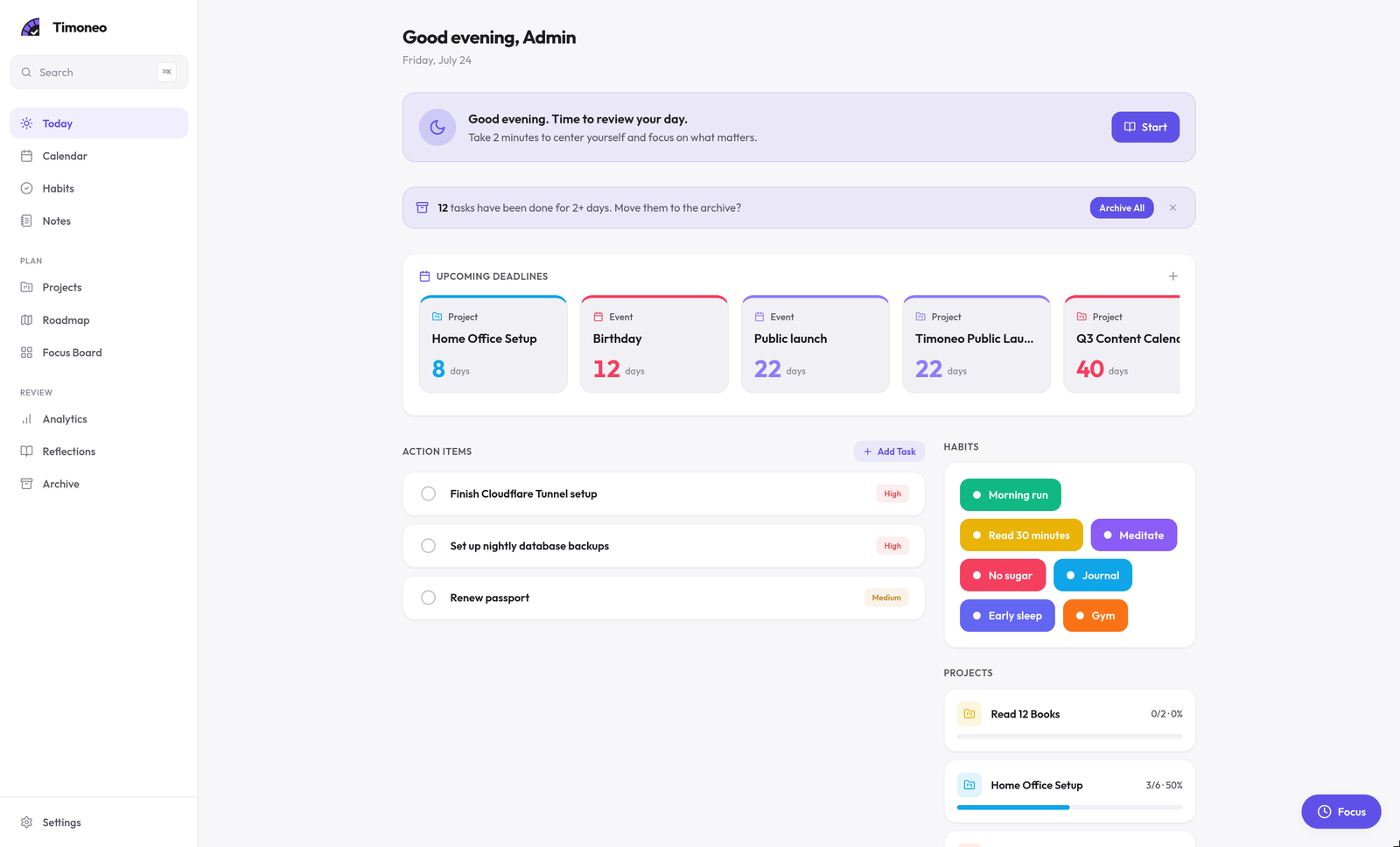
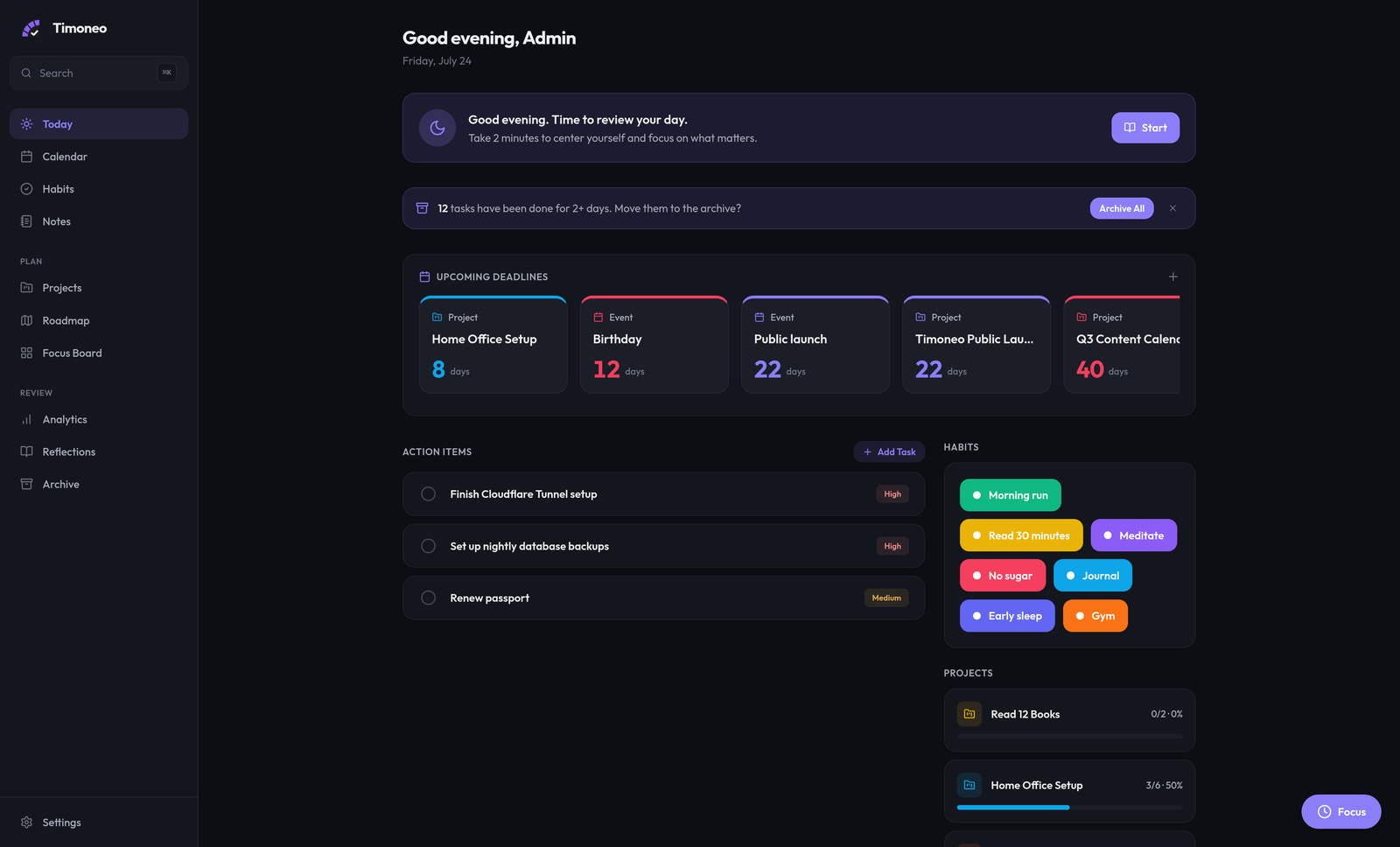
The entry point merges four things into one screen. Upcoming deadlines counted down in days, the action items on your plate, habits you have not logged yet, and progress across your active projects.
It also suggests archiving tasks finished more than two days ago, which keeps the dashboard from filling up with work you have already done.
Light Theme
Dark Theme
Time-Blocked Calendar
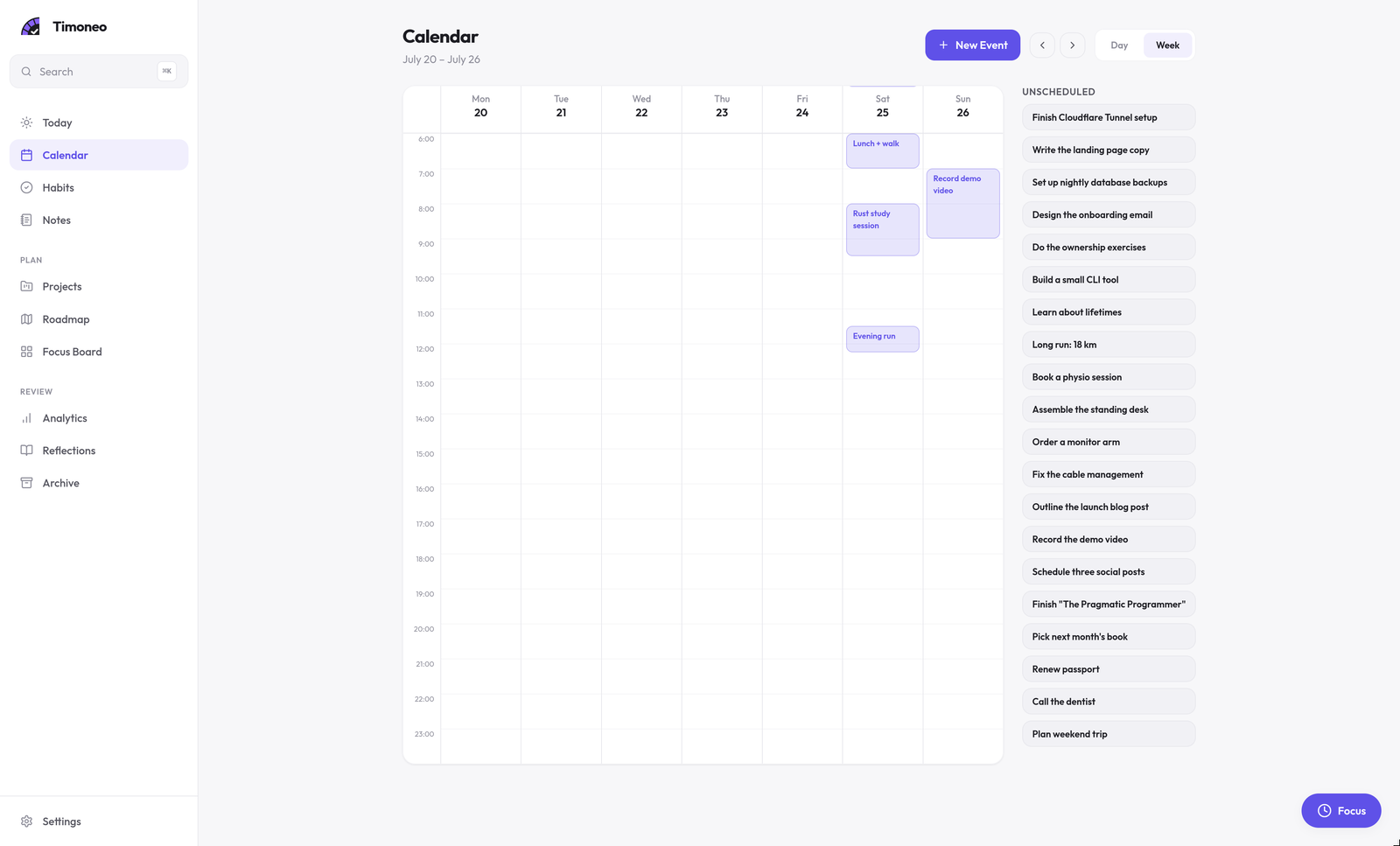
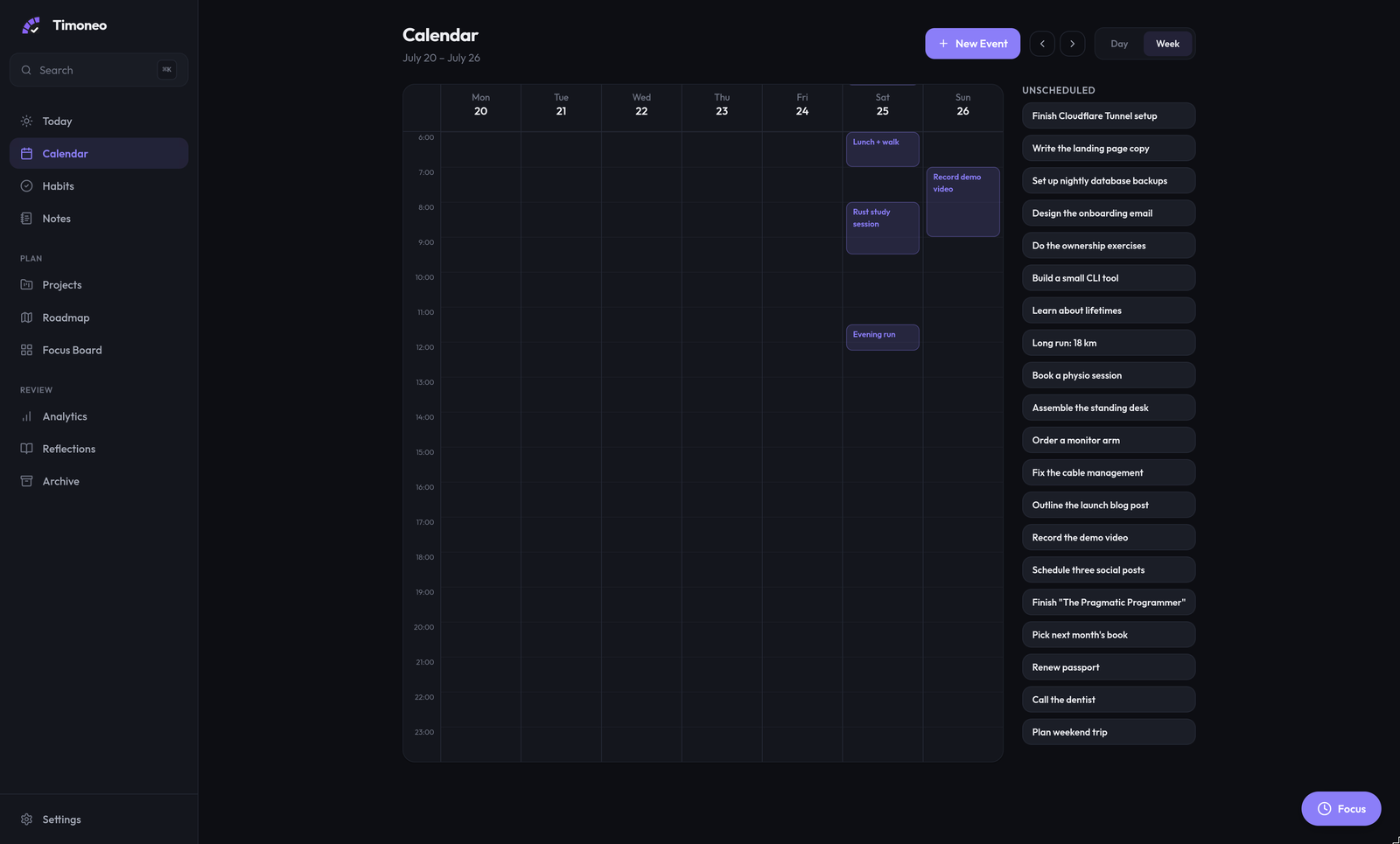
An hourly time-blocking grid, in day or week layout.
Click any empty slot to schedule a freeform event. Drag an unscheduled task or habit into a slot to give it a time. A custom recurrence engine evaluates daily, weekly, and monthly schedules natively, with no external calendar library involved.
The calendar grid is touch-friendly and responsive on mobile devices, supporting swipe navigation, single-tap scheduling, and a collapsible floating focus timer widget that stays accessible while you work.
Light Theme
Dark Theme
Projects & Kanban Board
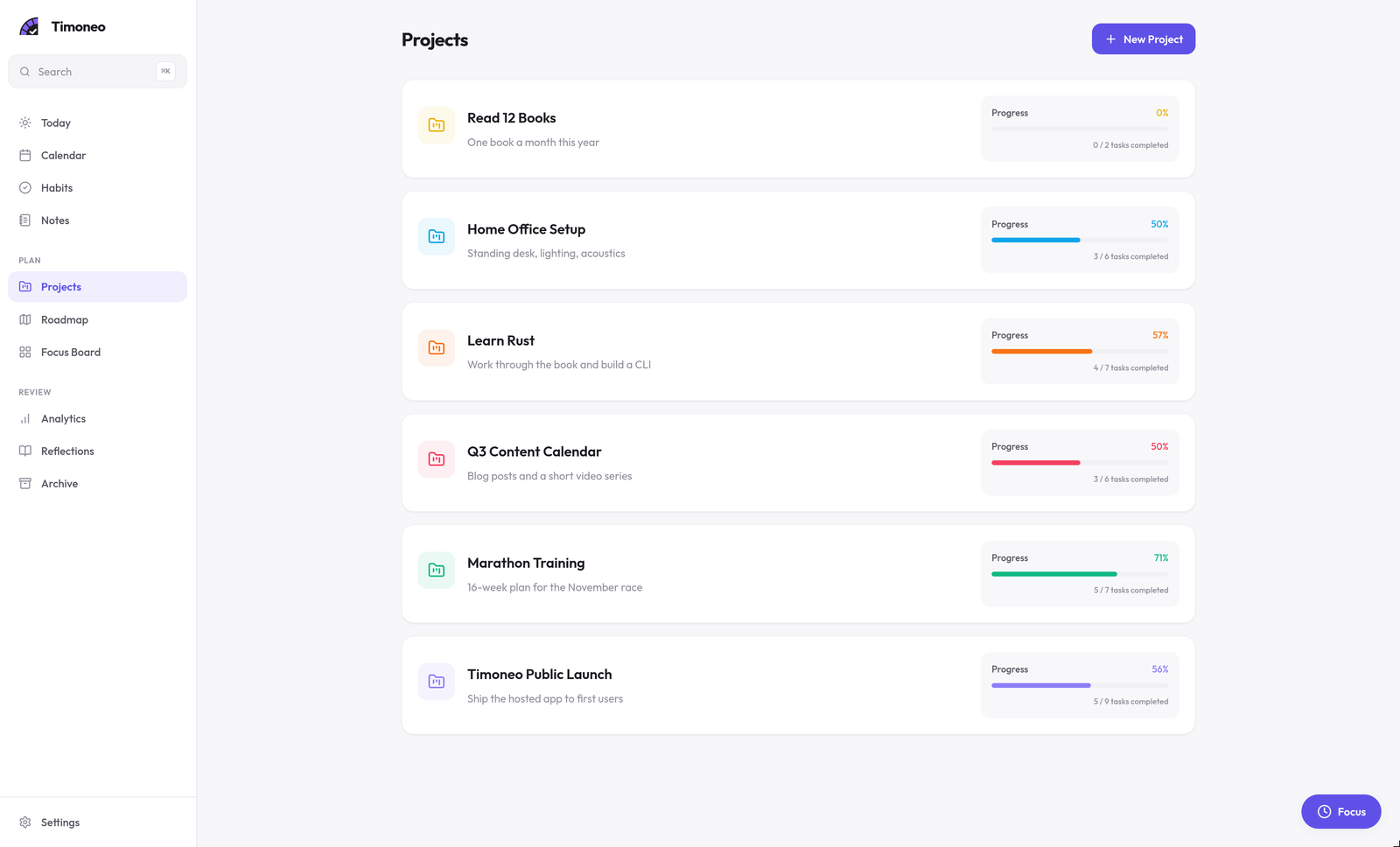
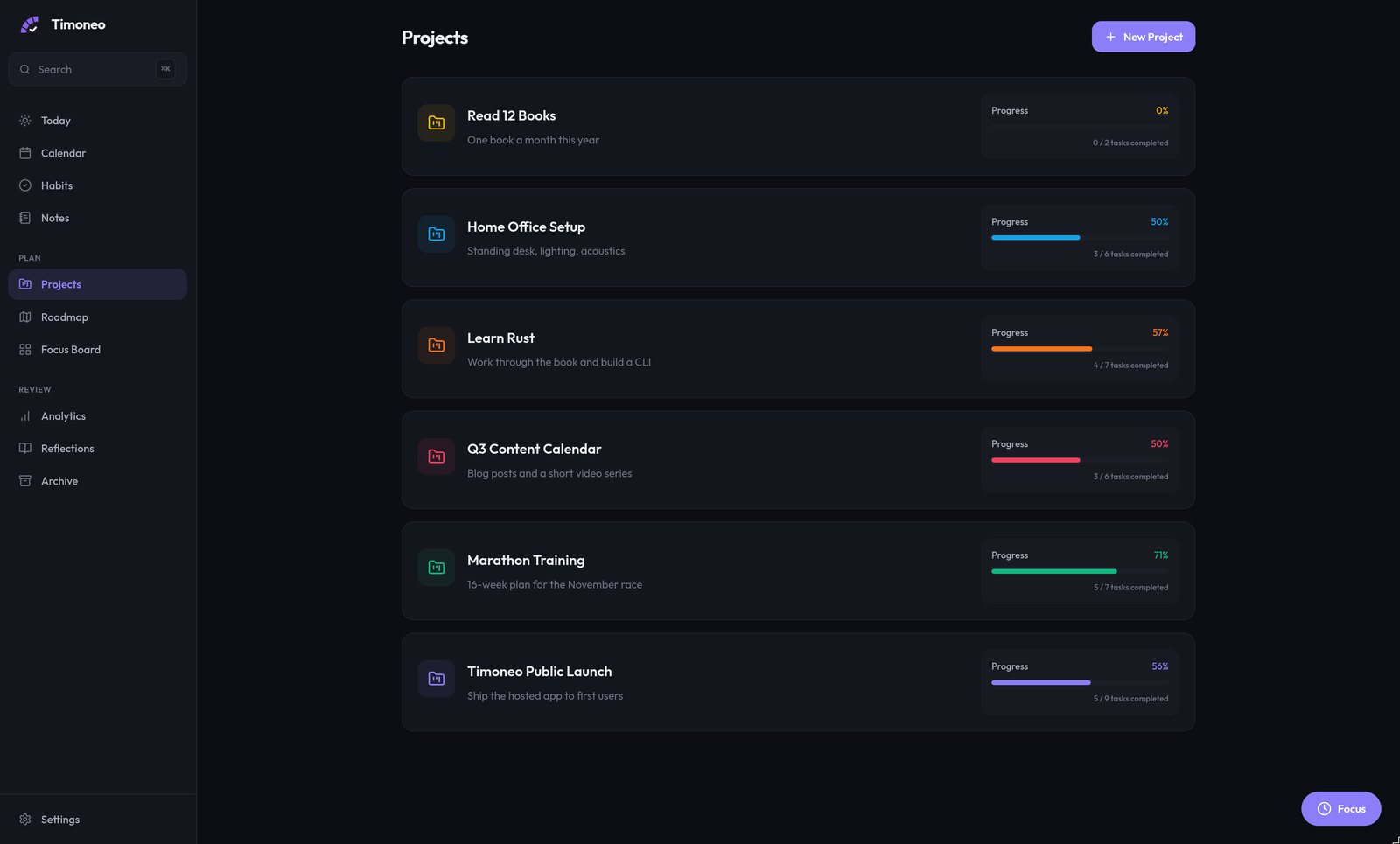
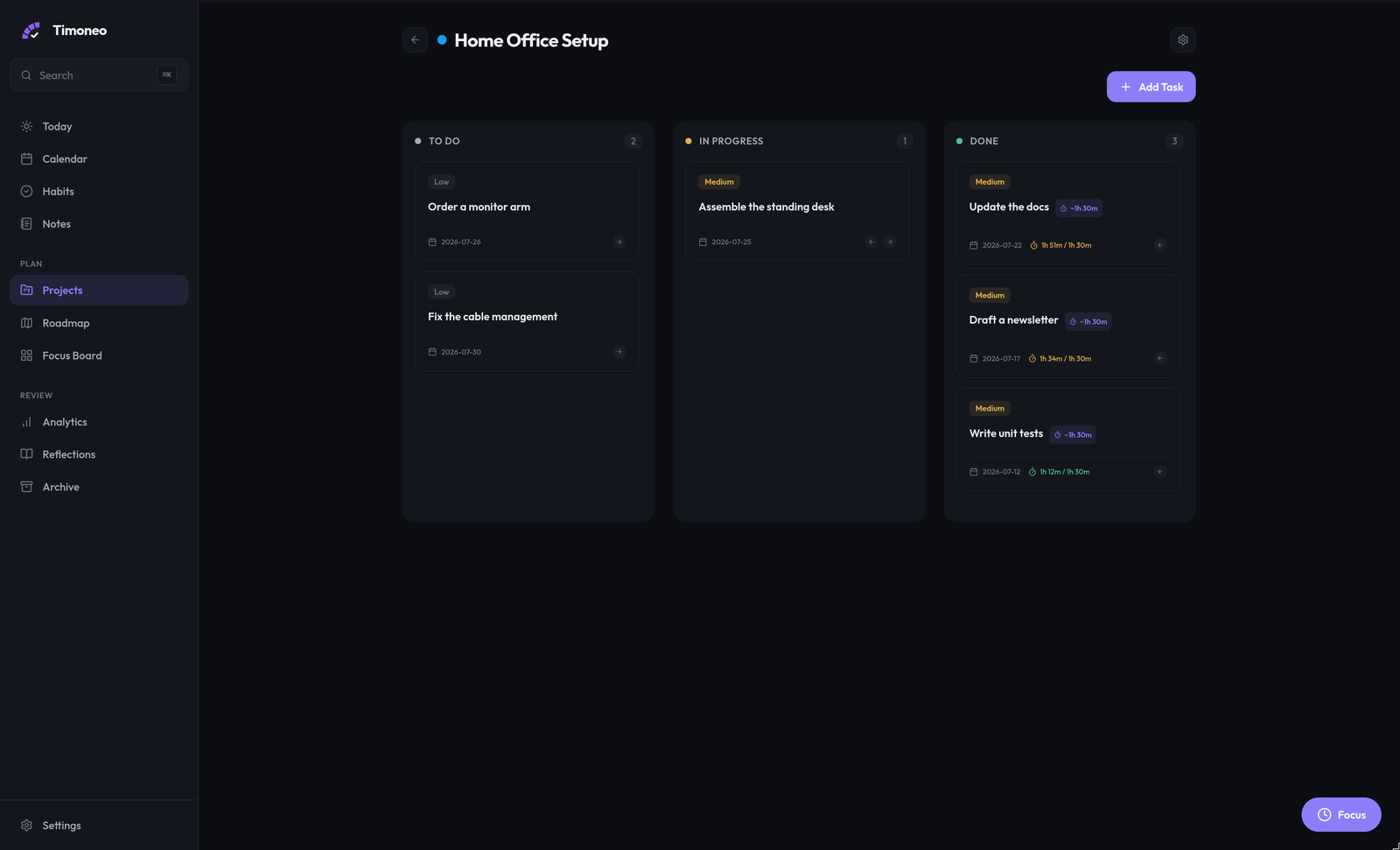
Projects organize task lists into three columns. Todo, In Progress, and Done.
Tasks carry a hierarchy of subtasks, estimated durations, and a directed dependency graph. A task blocked by an unfinished predecessor shows a warning indicator, and cycle detection runs as you build the graph rather than after the fact.
Projects View, Light
Projects View, Dark
The project details screen goes further. It shows target completion dates, subtask breakdowns, estimated time against actual time, and per task status.
Project Details, Dark
Focus Board
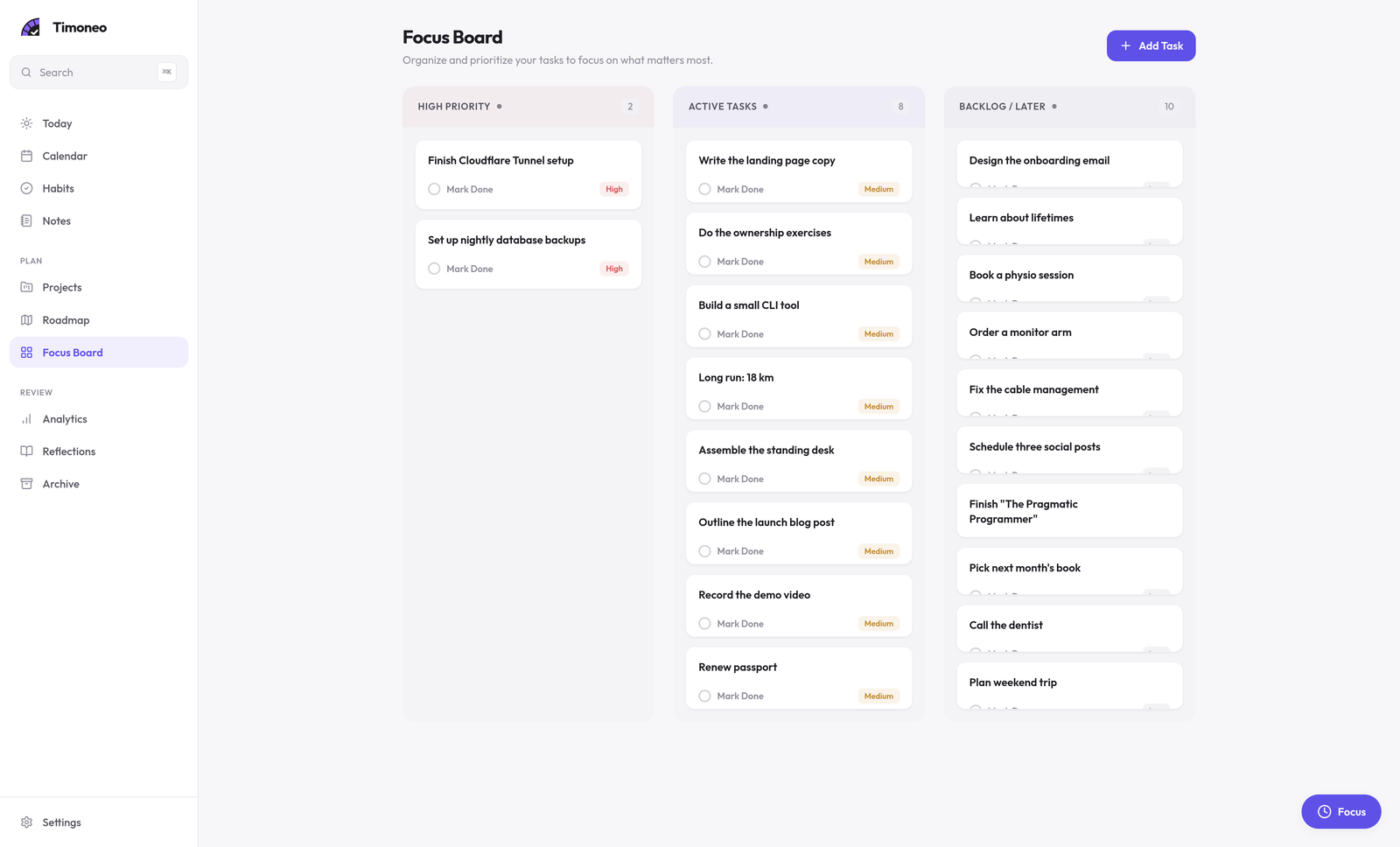
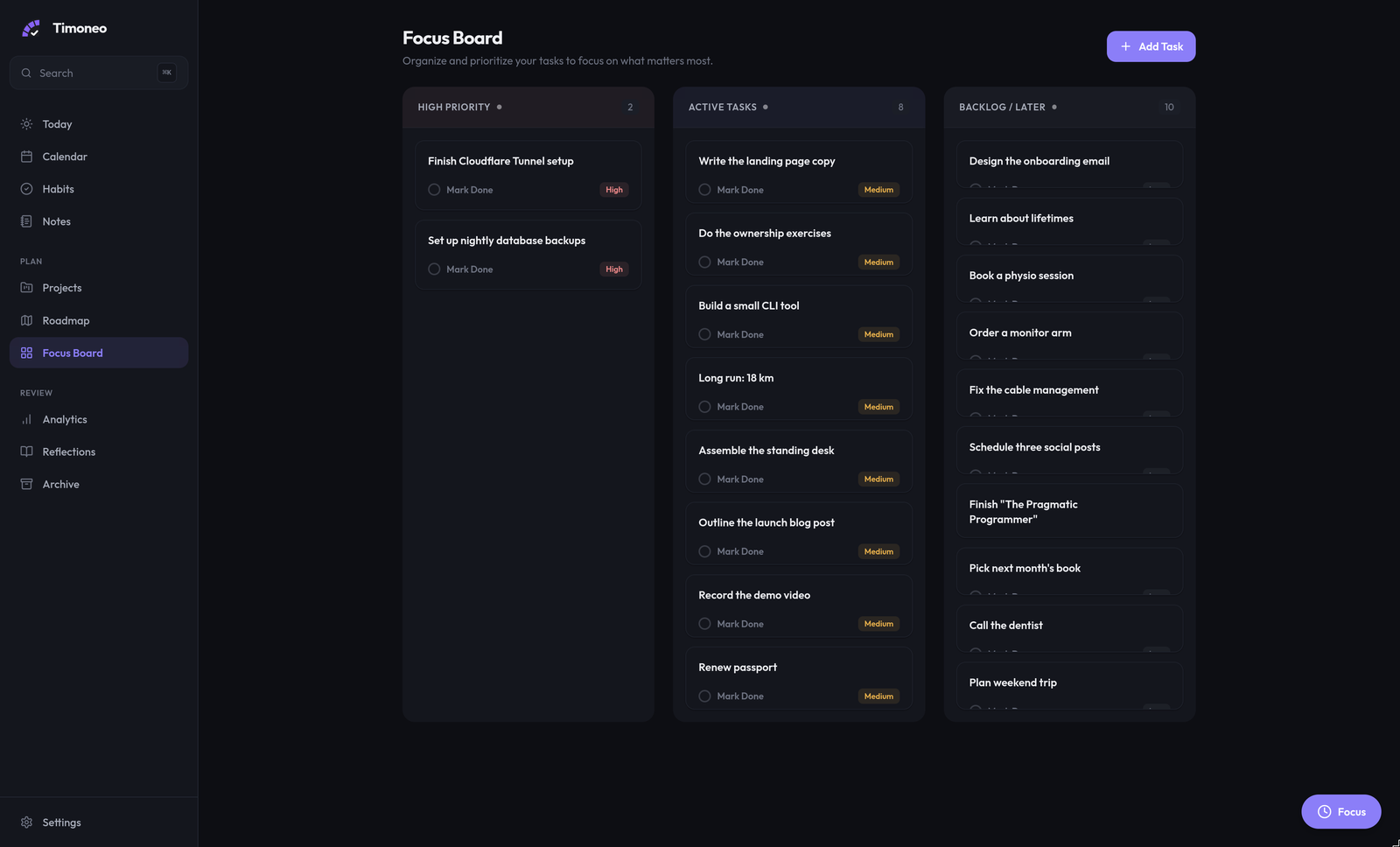
A board that sorts tasks into three columns by priority. High Priority for what needs doing now, Active Tasks for what is in flight, and Backlog / Later for everything parked.
Dragging a task between columns updates its priority in the database immediately.
Focus Board, Light
Focus Board, Dark
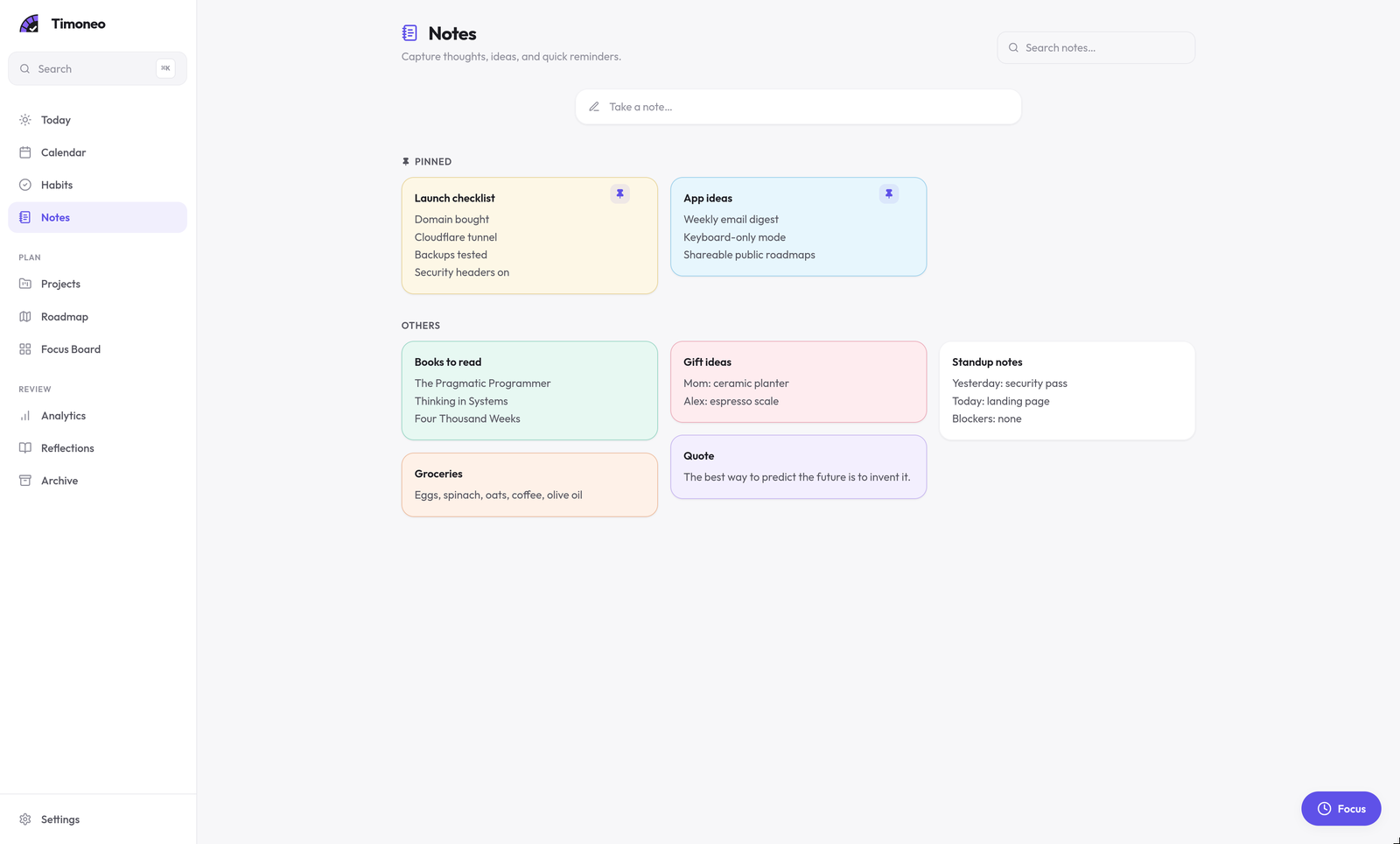
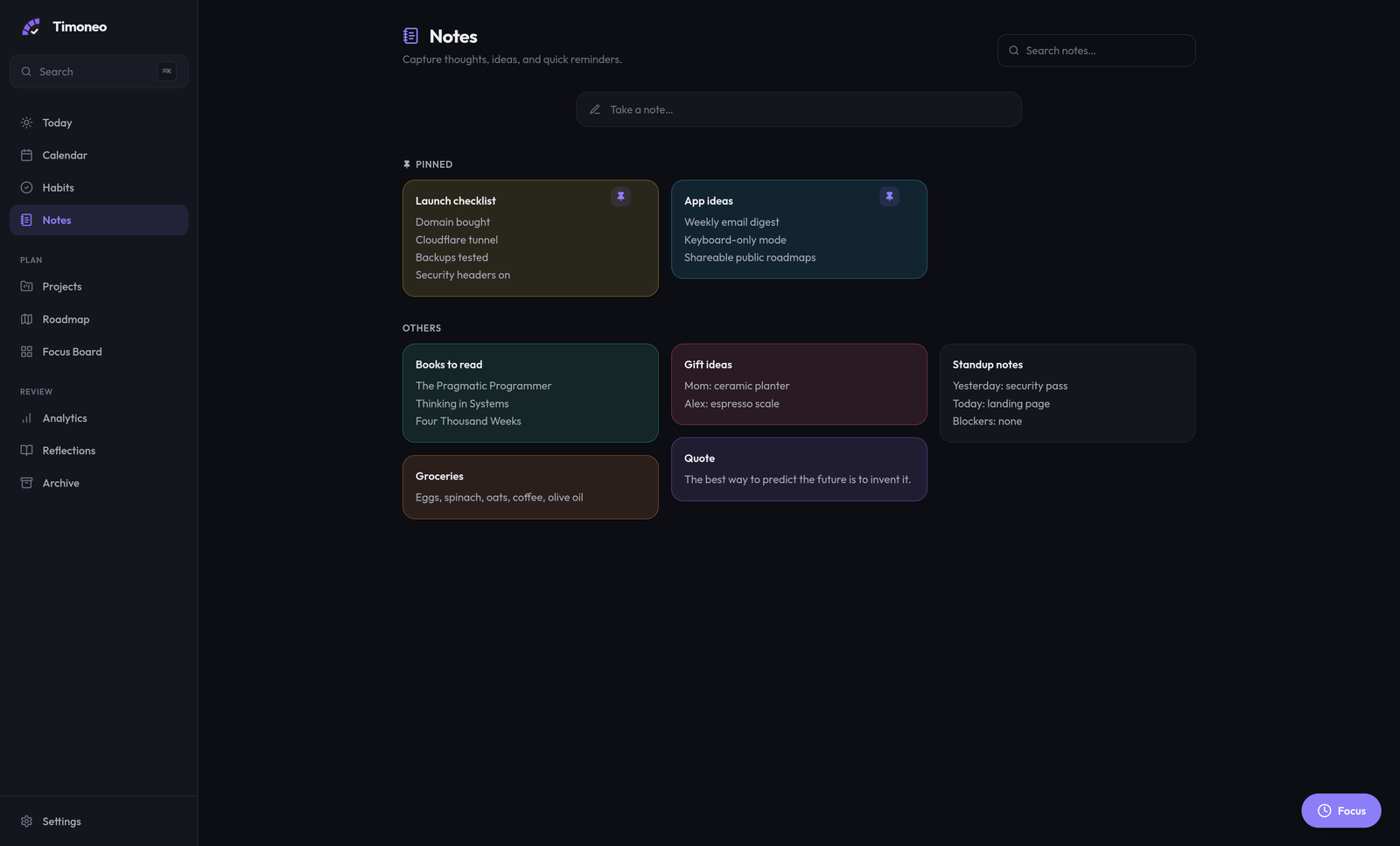
Google Keep Style Note Board
A post-it style note board with pinning, fast search, and custom colour themes. Notes are plain text; there is no markdown pass.
The composer saves when you click outside it. There is no save button to remember, which is the point. Capturing a note should not require a decision.
Notes Board, Light
Notes Board, Dark
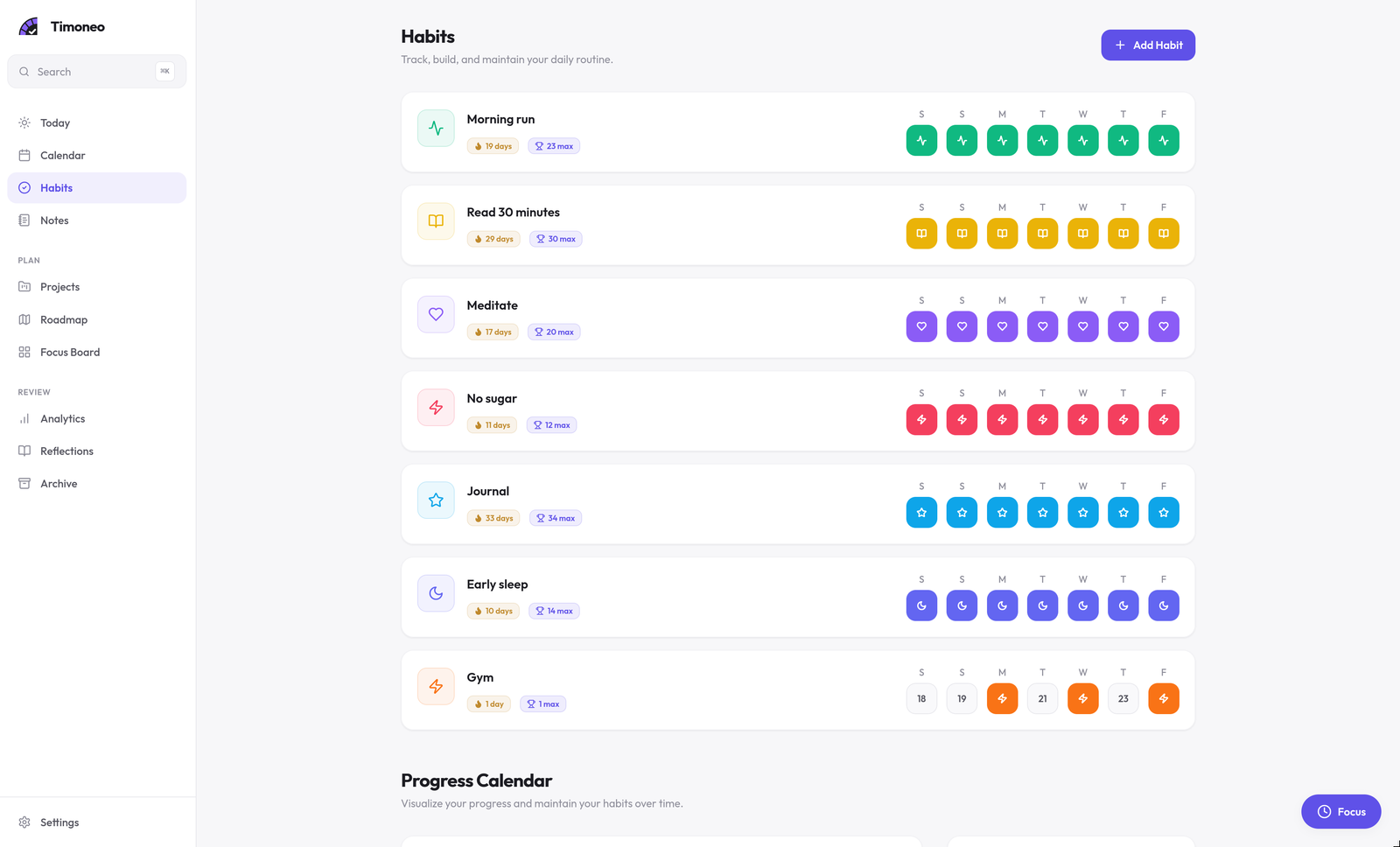
Habit Tracker & Progress Calendar
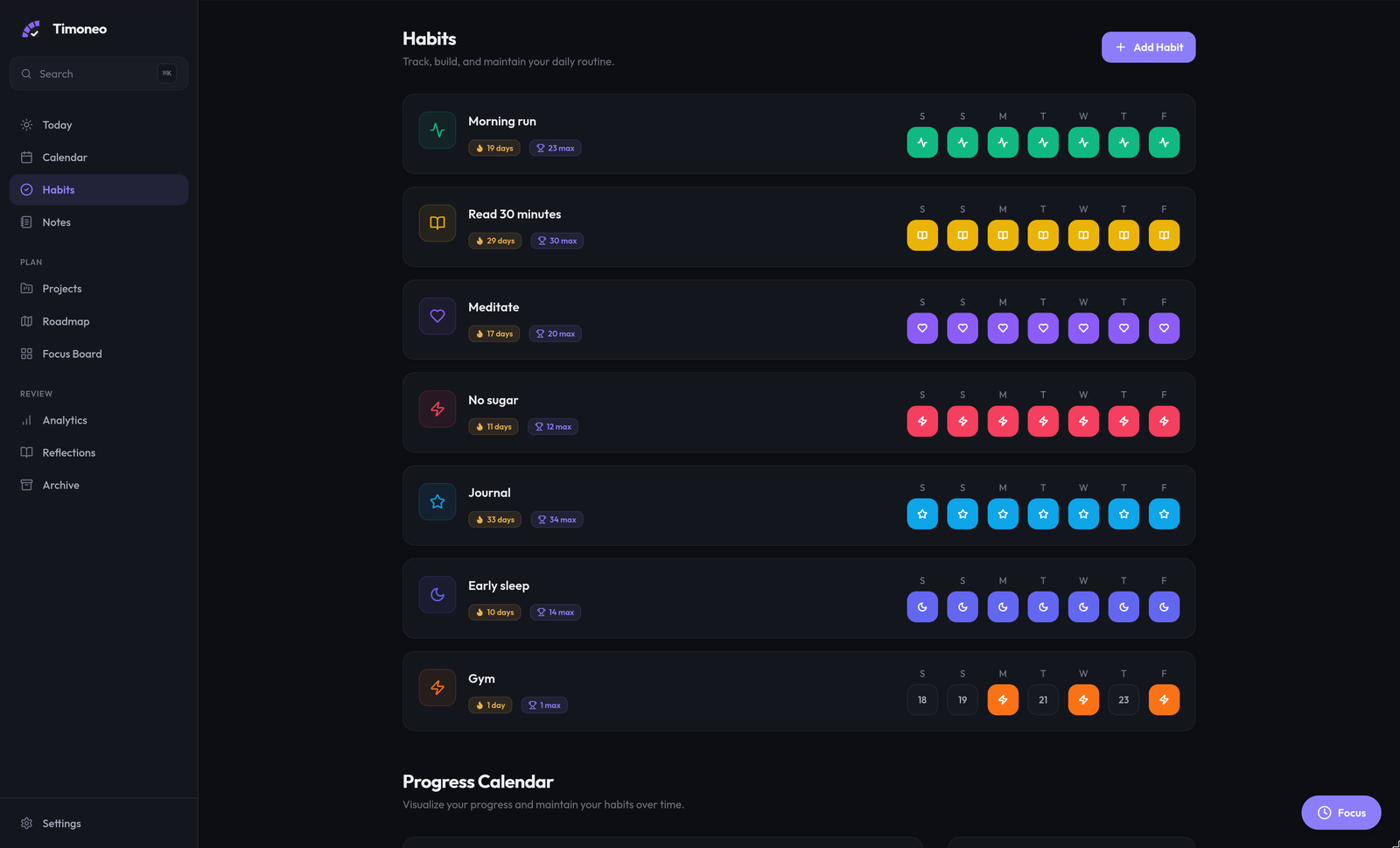
Habits are tracked daily or weekly, with colour coding. Clicking one logs it complete for the day and updates both your active streak and your longest streak.
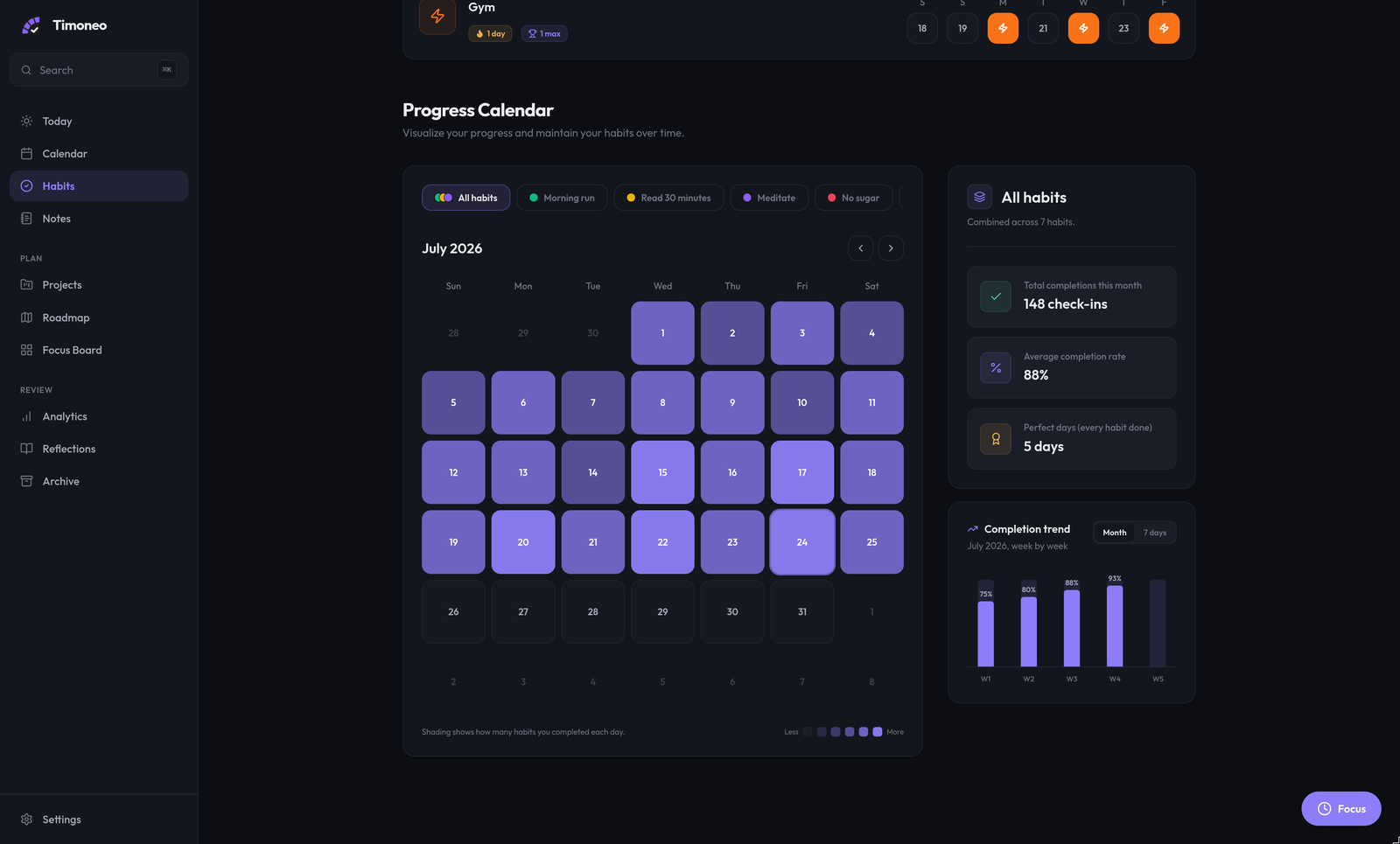
A monthly grid view shows the longer trend, which is the part a daily list can't tell you.
Habits Tracker, Light
Habits Tracker, Dark
Habits Monthly Progress Calendar, Dark
AI Roadmap Planner
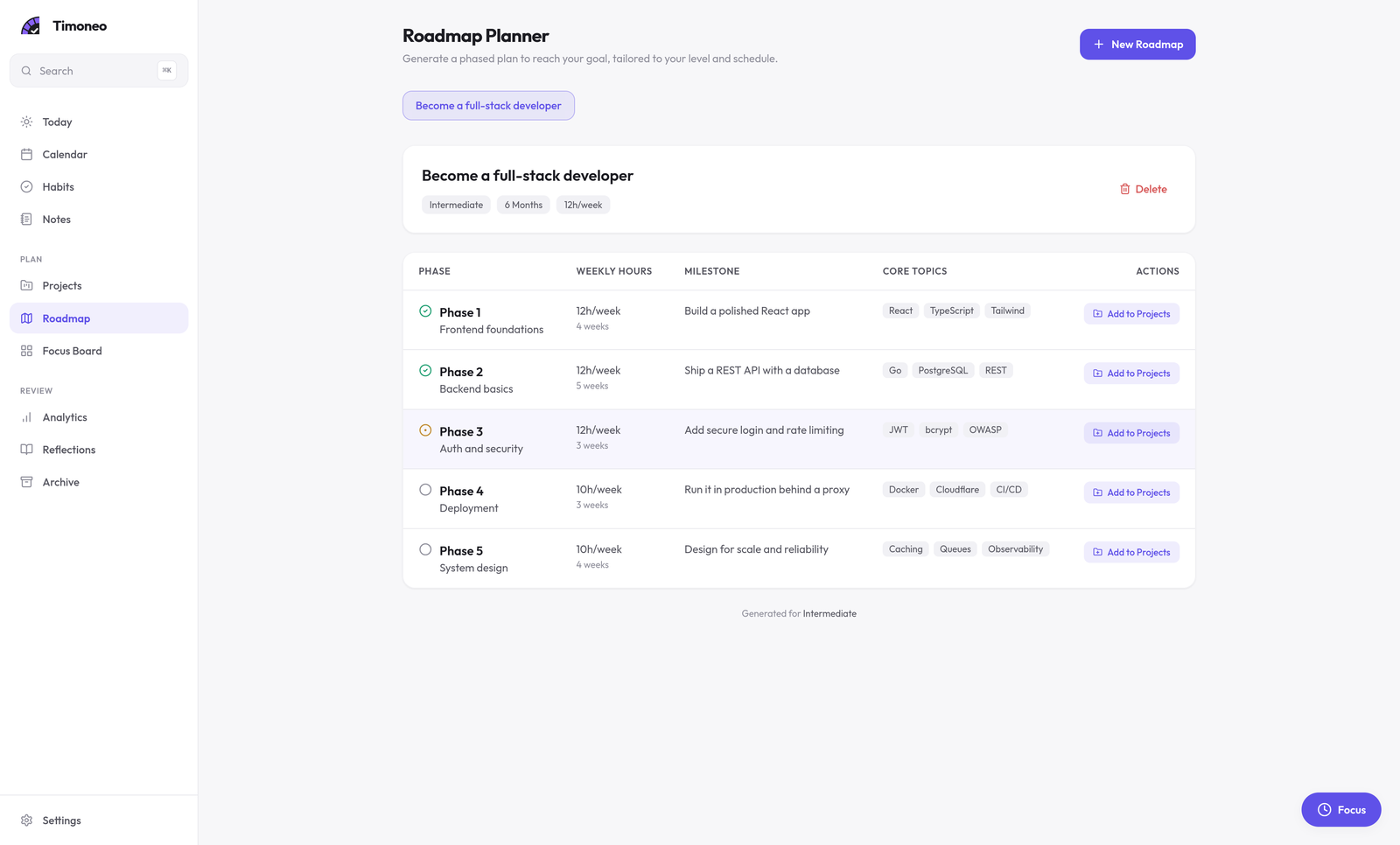
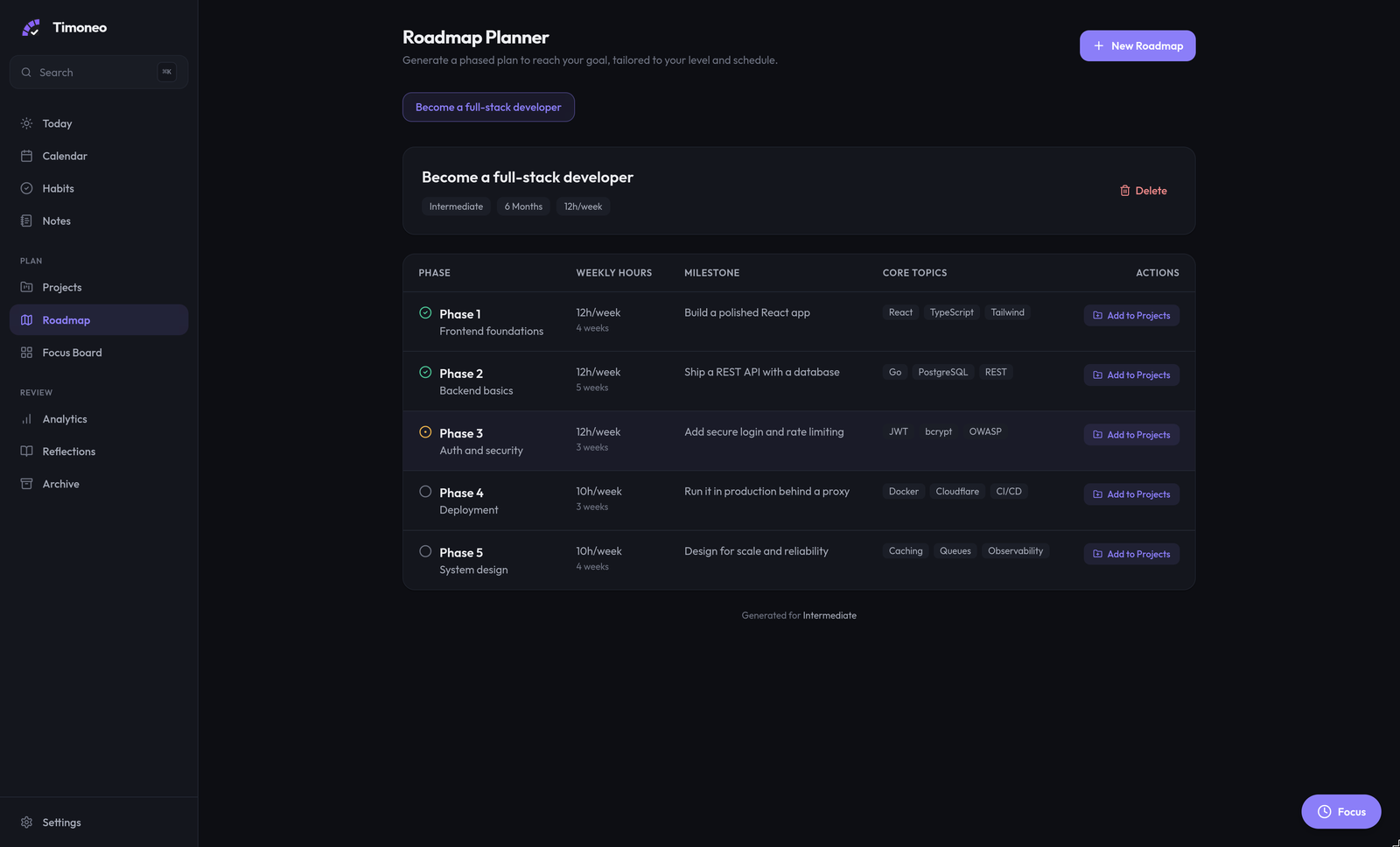
The roadmap planner runs on Google Gemini. You give it a goal, such as learning Rust, plus your experience level, the hours you have each week, and a target timeline.
It returns a phased roadmap. Each phase carries its weekly hours, a duration, a milestone, and its core topics, and each one can be added to your projects on its own.
Roadmap Planner, Light
Roadmap Planner, Dark
Reflections & Reviews
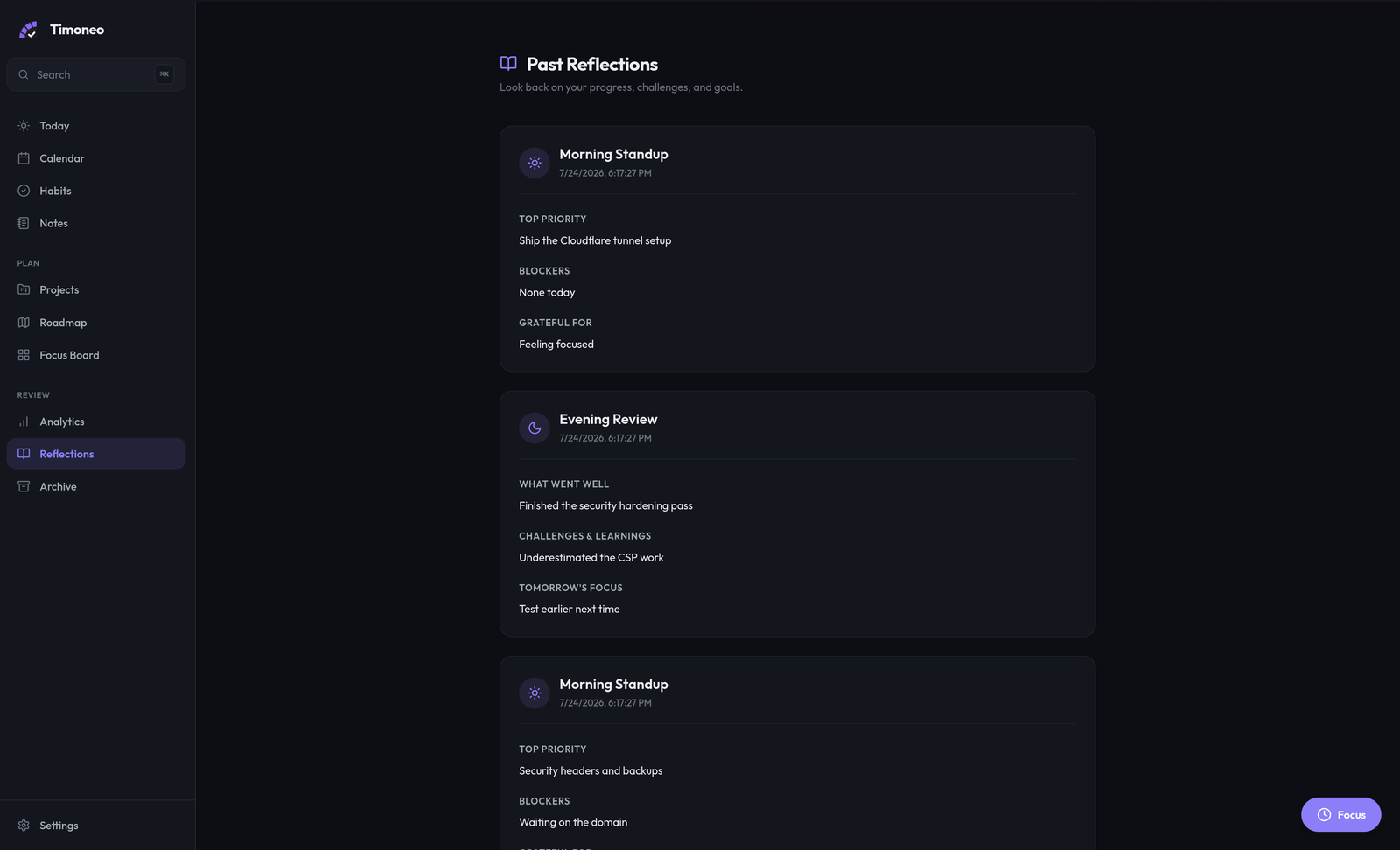
Three guided check-in forms, for reviewing progress deliberately rather than by memory.
Morning standup asks for your top priority, your blockers, and something you are grateful for. Evening review asks what went well, what the challenges and learnings were, and what tomorrow's focus is. Weekly reflection asks about milestone wins, what to improve, and what is coming next.
Reflections Feed, Dark
Analytics & Productivity Metrics
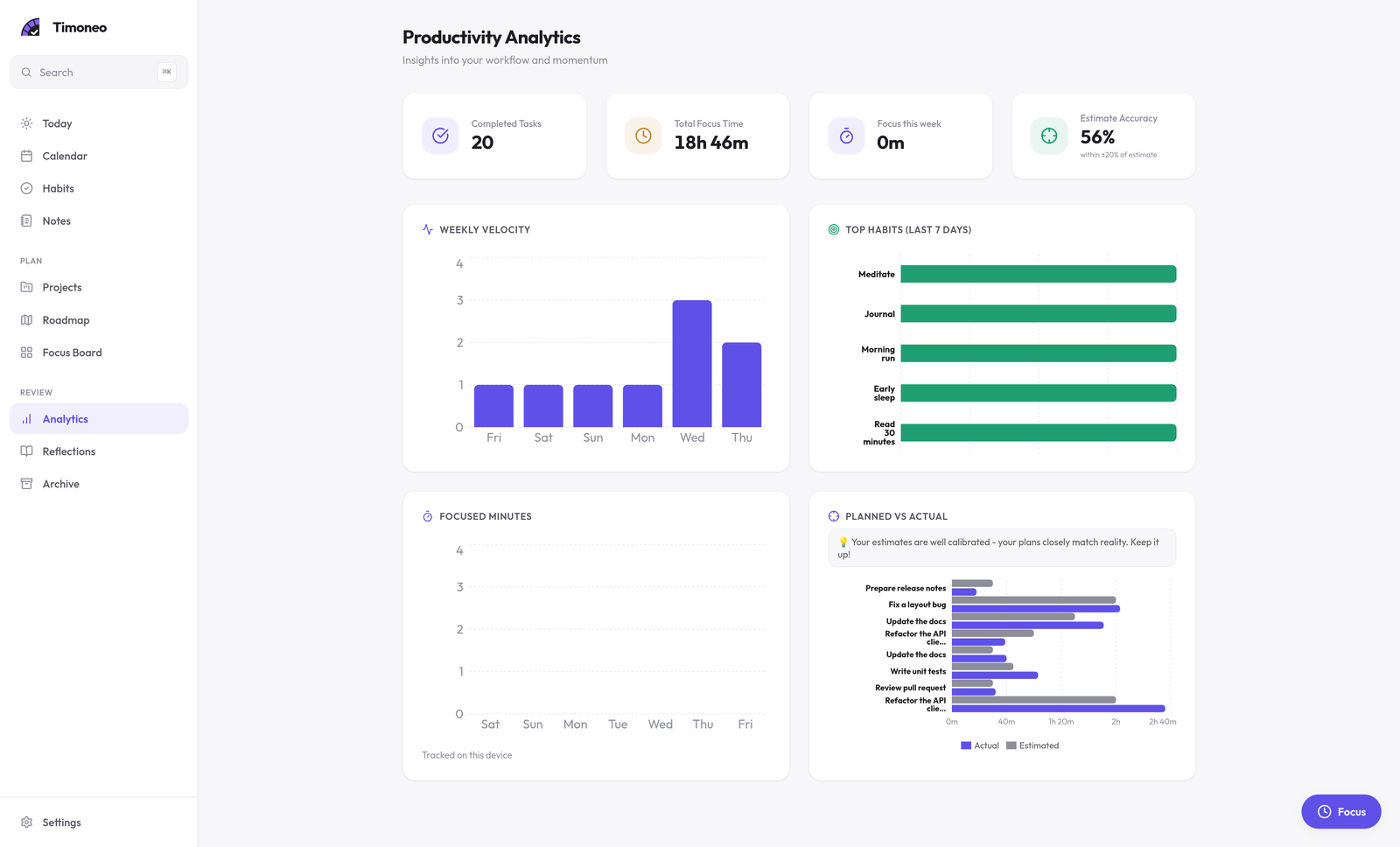
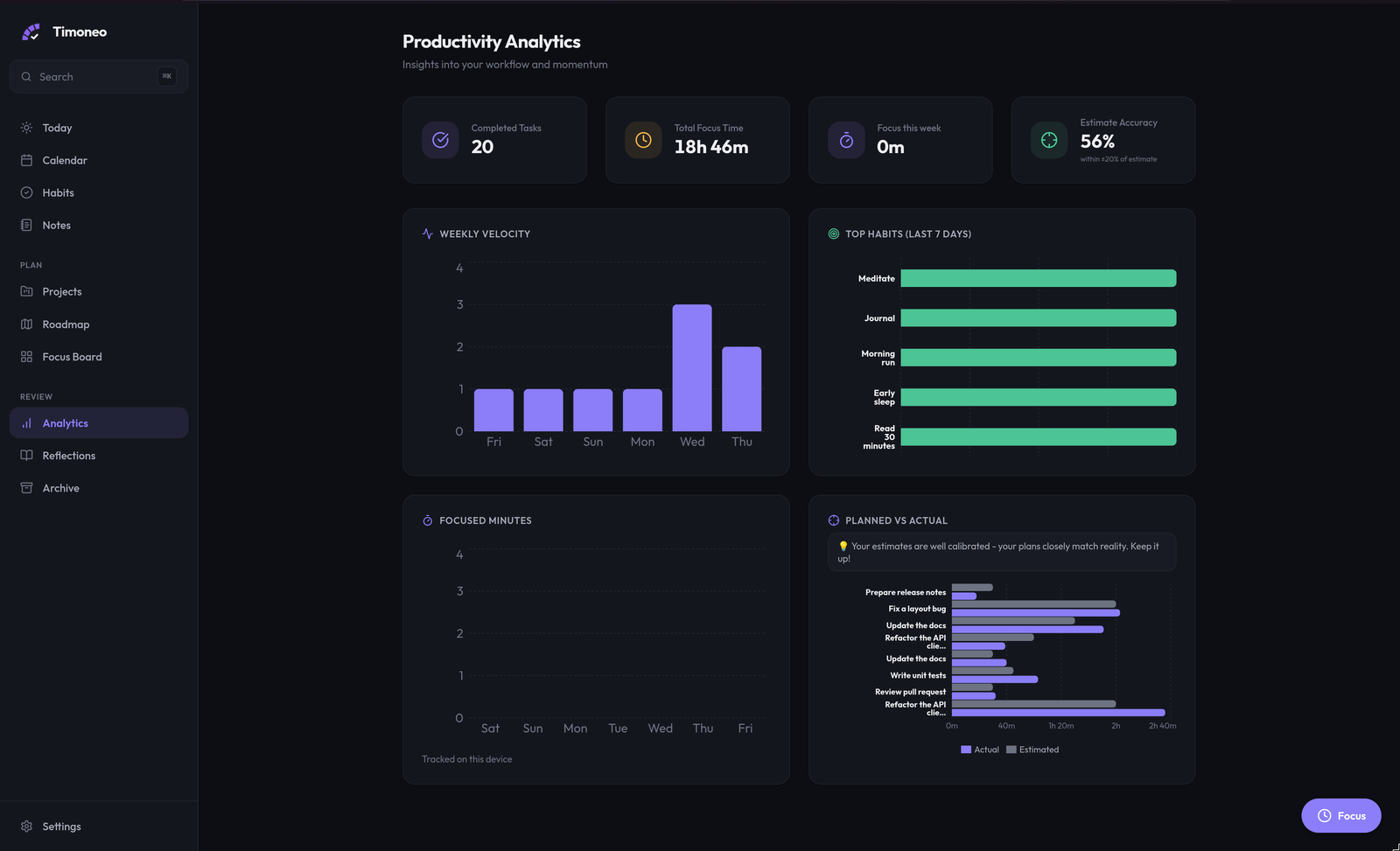
Where your time actually went. The header tiles carry completed tasks, total focus time, focus logged this week, and estimate accuracy—the share of tasks that finished within twenty percent of their estimate.
Closed-loop time tracking & calibration
To keep historical data honest without the friction of manual time logging, completing any task triggers the Log Time dialog while the duration is still fresh in your mind. The prompt prefills automatically with time recorded by the focus timer (or your initial estimate), making confirmation a single click.
As you enter the time, live calibration feedback indicates whether you finished on target, under, or over your estimate. This directly feeds the planned-versus-actual chart and velocity graphs, helping you systematically calibrate your time estimates over time.
Below that, weekly velocity plots tasks completed per day, top habits ranks the last seven days, focused minutes tracks time on this device, and planned versus actual compares each task's estimate against the duration it took in reality.
Analytics, Light
Analytics, Dark
Application Settings & Integrations
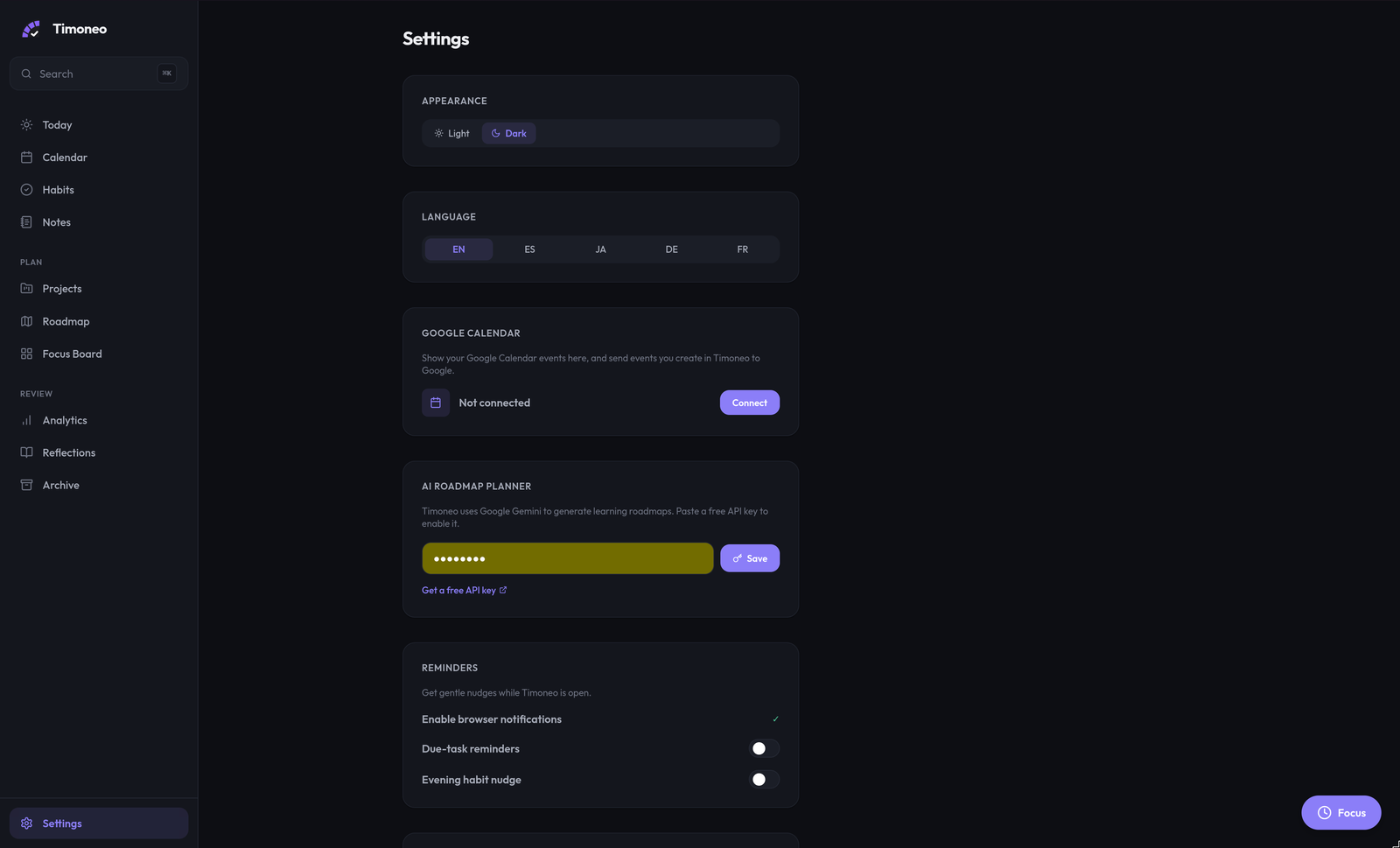
The control panel handles appearance, typography, internationalization, credential security, and third-party syncs.
- Theme & Typography: Light and dark modes with customizable color themes, plus user typography preferences with choices for Default Sans, Serif, Mono, and OpenDyslexic—adapting font weights and letterforms across the entire app for users with dyslexia or reading fatigue.
- Interactive Onboarding: A first-run setup wizard welcomes new accounts, configures interface language, and tours core modules without upfront friction (external API keys are requested contextually only when you first use the roadmap generator).
- Internationalization: The interface ships natively in English, Spanish, Japanese, German, and French, with instant language switching.
- Encrypted Credentials at Rest: Third-party credentials, including your Google Gemini API key and OAuth refresh tokens, are encrypted before writing to PostgreSQL using AES-256-GCM with a 32-byte key derived from a server secret.
- Calendar & Notifications: Connect your Google Calendar account, toggle browser notifications, and configure separate due-task and evening habit nudges.
The account section sits at the bottom, showing the signed-in profile, name, email, running app version, and sign out.
Settings & OAuth, Dark
Tech Stack
| Layer | Technology | Description |
|---|---|---|
| Frontend | Next.js 15, React 19, TS | Modern App Router, Server Components & React hooks |
| State | Zustand | Clean, granular state slices per resource |
| Styling | Tailwind CSS & CSS Variables | Responsive layouts, theme injection, and OpenDyslexic typography |
| PWA | Service Worker & Manifest | Installable mobile web app with offline caching and auto-updates |
| Drag & Drop | @dnd-kit/core | Fluent calendar drag operations |
| Backend | Go (Gin Web Framework) | High-performance, fast REST API layer |
| Database | PostgreSQL 16 (pgx/v5) | Relational store with pgx connection pooling and self-migrating schema |
| Security | AES-256-GCM & Bcrypt | Encrypted third-party API credentials at rest and JWT auth |
| AI Integration | Gemini API | Structured JSON outputs for roadmaps |
| Sync Engine | Google Calendar API | Asymmetric synchronization via Google OAuth 2.0 |
| Containerization | Docker | Each service runs in its own container |