Overview
A Manifest V3 Firefox extension that converts prices on any page into your preferred currency at the day's published reference rate.
Kawase, from 為替, meaning exchange, rewrites prices on the pages you already read.
It scans text for amounts, converts them at the day's published reference rate, and shows you the original amount, the rate applied, and that rate's timestamp when you hover. It's plain JavaScript with no build step, and it ships as a Manifest V3 extension for Firefox 142 and newer, on desktop and Android (available on Firefox Add-ons).
The problem it solves is small and constant. You are shopping, or reading a spec sheet, or checking a hotel price in a currency you have no intuition for, and you open a converter tab to answer the same question again.
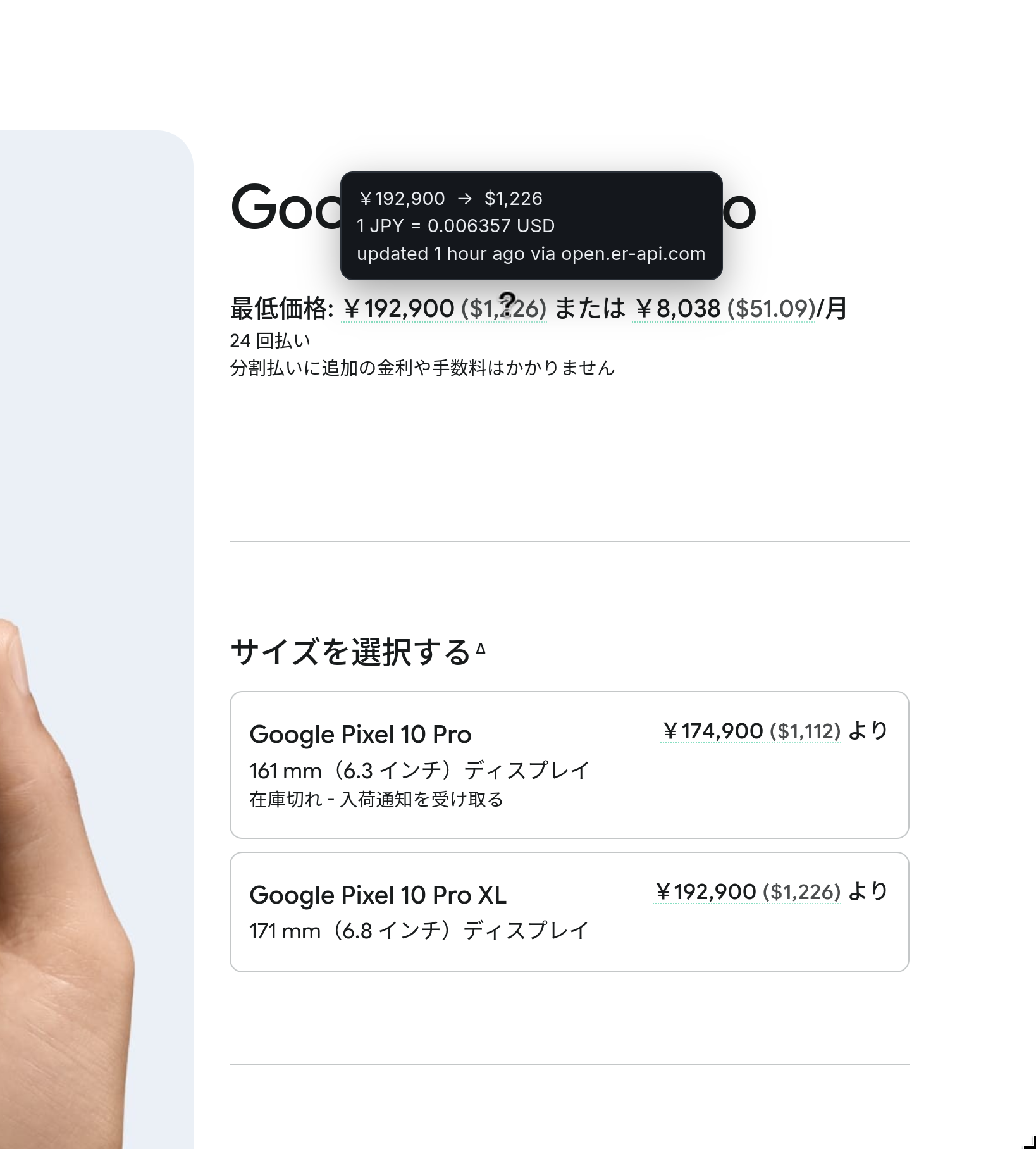
Finding a price is the hard part
Converting is arithmetic. Deciding that a run of characters is a price at all, and deciding which currency it's in, is where the actual work lives.
There are three ways to mark a currency. Symbols, such as $, €, ¥, £, ₹, ₩, kr, zł, and د.إ. ISO codes, as in USD 10.50. And CJK markers that trail the number, as in 3,980円, 元 199, and 50,000원.
Six numeral ranges are parsed. Arabic-Indic, Persian, Devanagari, Bengali, Thai, and fullwidth 0-9 all resolve to the same value. The fullwidth range is the one that matters most in practice, since it is what Japanese pages use.
Every grouping convention is handled. That covers 1,234.56, 1.234,56, 1 234,56, 1'234.50, and Indian grouping like 1,23,456.78.
Magnitude suffixes work in both directions. Western ones like $1.2M and $100k, and CJK ones like ¥1万 and ¥2.5億.
Ambiguous symbols
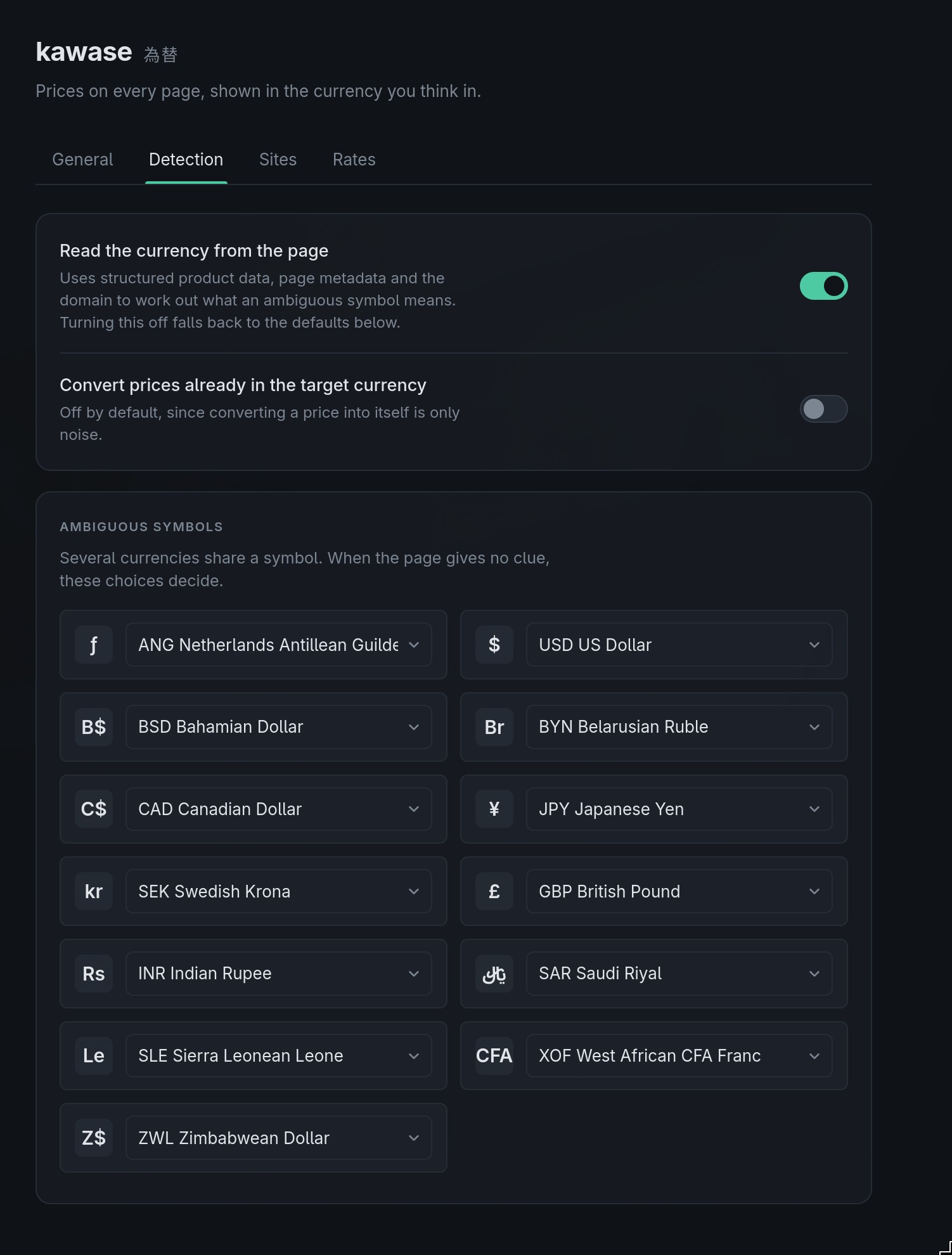
The dollar sign is eighteen different currencies. The yen sign is two. kr is four. Guessing wrong is worse than not converting at all.
So Kawase resolves an ambiguous symbol in order of how much the page itself tells us.
- Page metadata and
schema.orgstructured data, which most storefronts already emit. - Domain hints, including the top level domain.
- Your configured default for that symbol.
There is also a guard running in the other direction. Sixteen ISO codes double as ordinary English words, including ALL, TOP, END, TRY, CUP, PEN, KID, MOP, and BOB. Those are held to a stricter match, so that prose doesn't turn into prices.
Scanning without breaking the page
A content script that walks the DOM on a modern site has to be careful about two things. What it touches, and how long it holds the main thread.
A skip list keeps the walker out of <script>, <style>, <code>, <pre>, <input>, <textarea>, <canvas>, and their relatives. Code samples, model numbers, and form values are left alone.
Work is chunked at 240 nodes at a time, with a cap of 6,000 conversions per page.
A MutationObserver, debounced at 250 milliseconds, picks up prices that arrive later with infinite scroll or a client rendered cart.
Rates
Rates come from free public APIs that need no key.
open.er-api.com is the primary source, covering roughly 166 currencies and updating daily. frankfurter.dev, which serves the European Central Bank's reference rates, is the fallback.
Rates are cached in extension storage and refreshed by a background alarm. The default is every six hours, and it's configurable from one to forty eight.
Settings
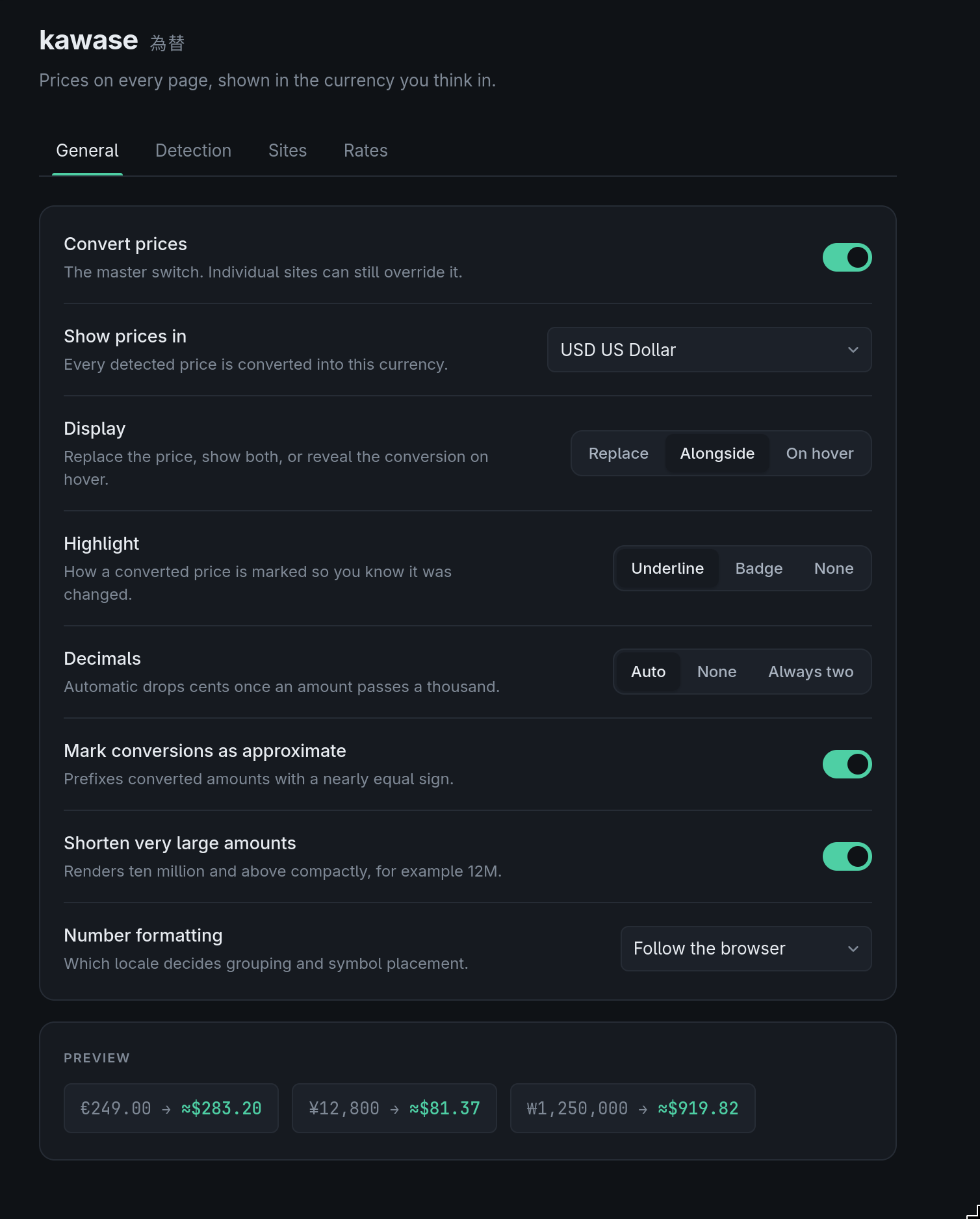
| Setting | Options |
|---|---|
| Display mode | Replace the price, show alongside, or show on hover |
| Highlight style | Dotted underline, subtle badge, or none |
| Decimals | Auto, which drops cents on large amounts, or 0, or 2 |
| Approximate marker | Prefix converted prices with an approximation sign |
| Ambiguous symbols | Pick the default currency for $, ¥, £, kr, and others |
| Site rules | Enable or disable per site, or force a source currency |
| Rate provider | Primary, fallback, or automatic |
Permissions
Manifest V3 on Firefox uses optional host permissions, so Kawase starts with access to nothing at all.
On a new domain, open the popup and click Enable to grant that site and begin converting. You can also grant access globally from Firefox's extension settings. The manifest declares no data collection.
Install
Install directly from Firefox Browser Add-ons:
- Open the Kawase Firefox Add-on page.
- Click Add to Firefox.
- Confirm the permission prompt.
Development
npm test                 # 113 unit tests on the Node test runner
npx web-ext lint         # validate the manifest and sources
npx web-ext run          # temporary Firefox instance with the extension loaded
npx web-ext build        # package a zip into dist/
To load it by hand, open about:debugging#/runtime/this-firefox, choose Load Temporary Add-on, and select the manifest. A manual test page covering the awkward formats lives at docs/test-page.html.
Known limitations
- Prices inside
<iframe>elements are not converted. - Shadow DOM roots are not traversed.
- Prices drawn into
<canvas>or baked into images can't be read.